Building an app today is only half the journey. In modern app development, getting your product approved and keeping it live in the App Store or Google Play has become an ongoing responsibility.
Both platforms act as strict gatekeepers. They keep watching how your app handles data, shows prices, guides users through key flows, and even how well your content is translated.
In this article, we break down how App Store and Google Play review processes actually work, why apps get removed in 2026, and what you can do to protect your product. You’ll also find a practical compliance checklist and a clear path forward if your app ever gets flagged or taken down.
Let’s imagine you’ve just launched an app and received approval. In reality, that’s when everything starts. What makes the process challenging is how quickly the rules evolve. A flow that passed review without issues a year ago may now raise questions, trigger additional checks, reduce your visibility, or even lead to complete removal from the store.
And when an app gets taken down, the impact is immediate:
- users lose access
- marketing plans stall
- revenue drops
- your roadmap gets disrupted
Removal usually doesn’t happen because a team did something intentionally wrong. More often, it’s the result of slipping out of compliance in an ecosystem where the standards change constantly. Staying live today requires a deeper, proactive approach.
How App Review Actually Works
Before we get into the details of why apps get rejected, it helps to look at the basic submission flow every product follows. Understanding how the App Store review process and Google Play review process work helps teams design apps that stay compliant long after launch.
On a high level, both App Store Connect and Google Play Console guide developers through the same steps: create an account, add an app, configure the required fields, upload a build, complete the metadata, and submit for review.
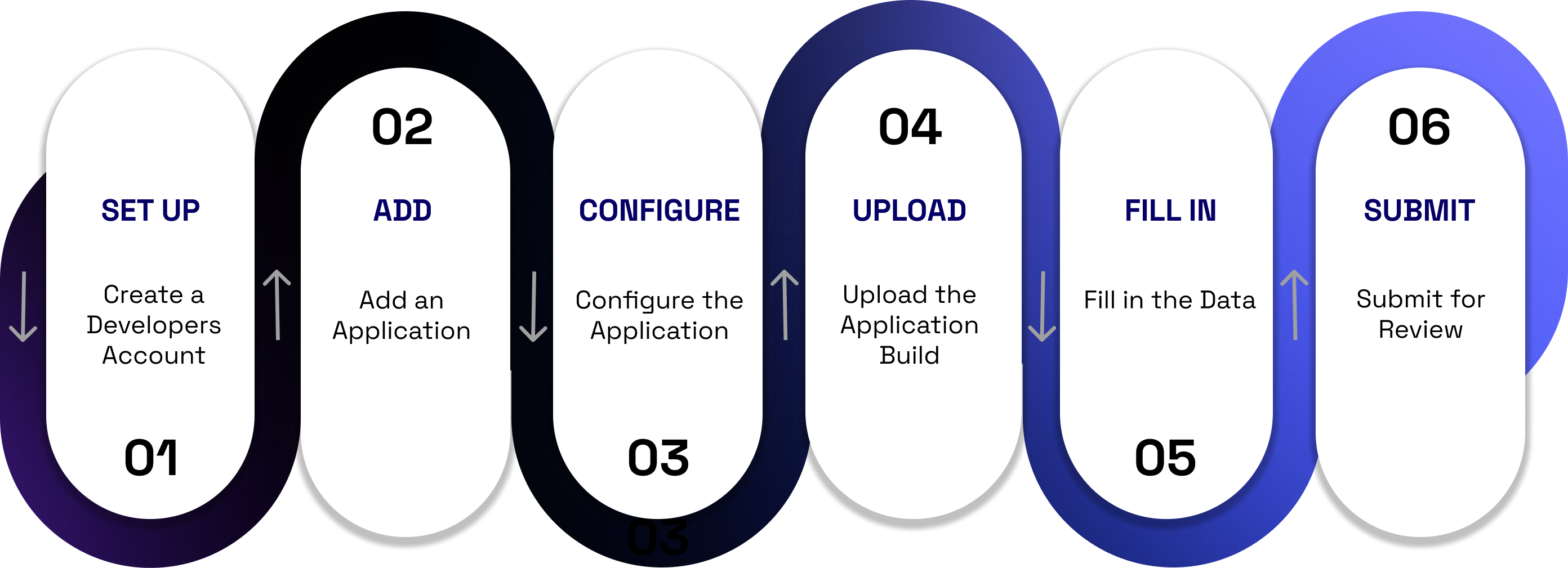
A simplified overview of the submission flow. The real complexity begins once the app enters the automated and manual review pipelines.
Automated checks come first
Once your build is uploaded, both stores trigger a series of automated scans. These systems analyze your app’s structure, declared permissions, third-party SDKs, data flows, network activity patterns, paywall layouts, and even common UX patterns associated with misleading behavior.
Apple and Google increasingly rely on ML-driven detection to flag:
- prohibited or outdated SDKs
- hidden trackers or undeclared data collection
- incorrect or inconsistent privacy disclosures
- permissions that don’t match the actual feature set
- aggressively designed paywalls
- incomplete or misleading metadata
If something looks suspicious, your app may be routed to a deeper review queue or rejected instantly.
Then a human reviewer steps in
After automated checks pass, a reviewer tests your app from a real user perspective. They validate:
- whether onboarding is clear, honest, and easy to follow
- whether pricing and subscription terms are visible and compliant
- whether user flows match what you promised in the description and screenshots
- whether the content and translations are accurate
- whether any functionality feels misleading, unclear, or incomplete
This is where many non-compliant paywalls, forced authorization flows, or incorrect translations are caught.
Approval isn’t the finish line
Even after approval, the app continues to be monitored. Post-review systems track:
- crash rates and stability
- policy-violating user behavior
- SDK or API usage introduced through updates
- unusual data collection patterns
- spikes in user complaints or refunds
- compliance with newly introduced policy changes
Both platforms reserve the right to remove an app at any time if it slips out of compliance, even months after launch.
Platform-Specific Rules: App Store vs. Google Play
While the App Store and Google Play share the same goal of protecting users and ensuring high-quality experiences, their compliance rules differ in important ways.
Apple enforces strict UX-driven App Store guidelines, while Google focuses heavily on data handling and Google Play policies.
Understanding these differences helps teams anticipate potential risks long before the app reaches review.
App Store: UX-Driven, Strict, and Highly Opinionated
Apple is known for its strong emphasis on user experience and privacy. This is reflected in the App Store Review Guidelines, which outline not only what your app must do, but how it should feel to users.
Key areas where Apple is especially strict:
- Paywalls and pricing transparency: prices must be visible, trials must be clearly explained, and dismiss buttons must be easy to find.
- Authorization flows: if your app uses any third-party login (Google, Facebook, X), Sign in with Apple is mandatory.
- Data collection and tracking: ATT (App Tracking Transparency) prompts must be accurate and not misleading.
- Onboarding and UX patterns: any flow that feels confusing, pushy, or incomplete can result in a rejection.
- Content accuracy: metadata, screenshots, and translations must precisely match the actual product experience.
Google Play: Policy-Focused, SDK-Sensitive, and Data-Heavy
Google’s rules are broader and more technical, with a strong emphasis on data handling and app security. Many apps are removed not because of UX issues, but because they violate background policies connected to SDKs or permissions.
Areas where Google is particularly strict:
- Data Safety Form: Any mismatch between the form and the app’s behavior can lead to immediate removal.
- Permissions: SMS, Contacts, Background Location, Bluetooth, and Accessibility are tightly regulated.
- Third-party SDKs: Google frequently removes entire app clusters for using non-compliant or malicious SDK versions.
- UGC and content moderation: apps must actively moderate user-generated content to prevent violations.
Behavior monitoring: refund spikes, unusual data flows, or device integrity issues can trigger automated reviews.
Why this matters
Both stores may look similar from the outside, but the reasons for rejections and removals often differ:
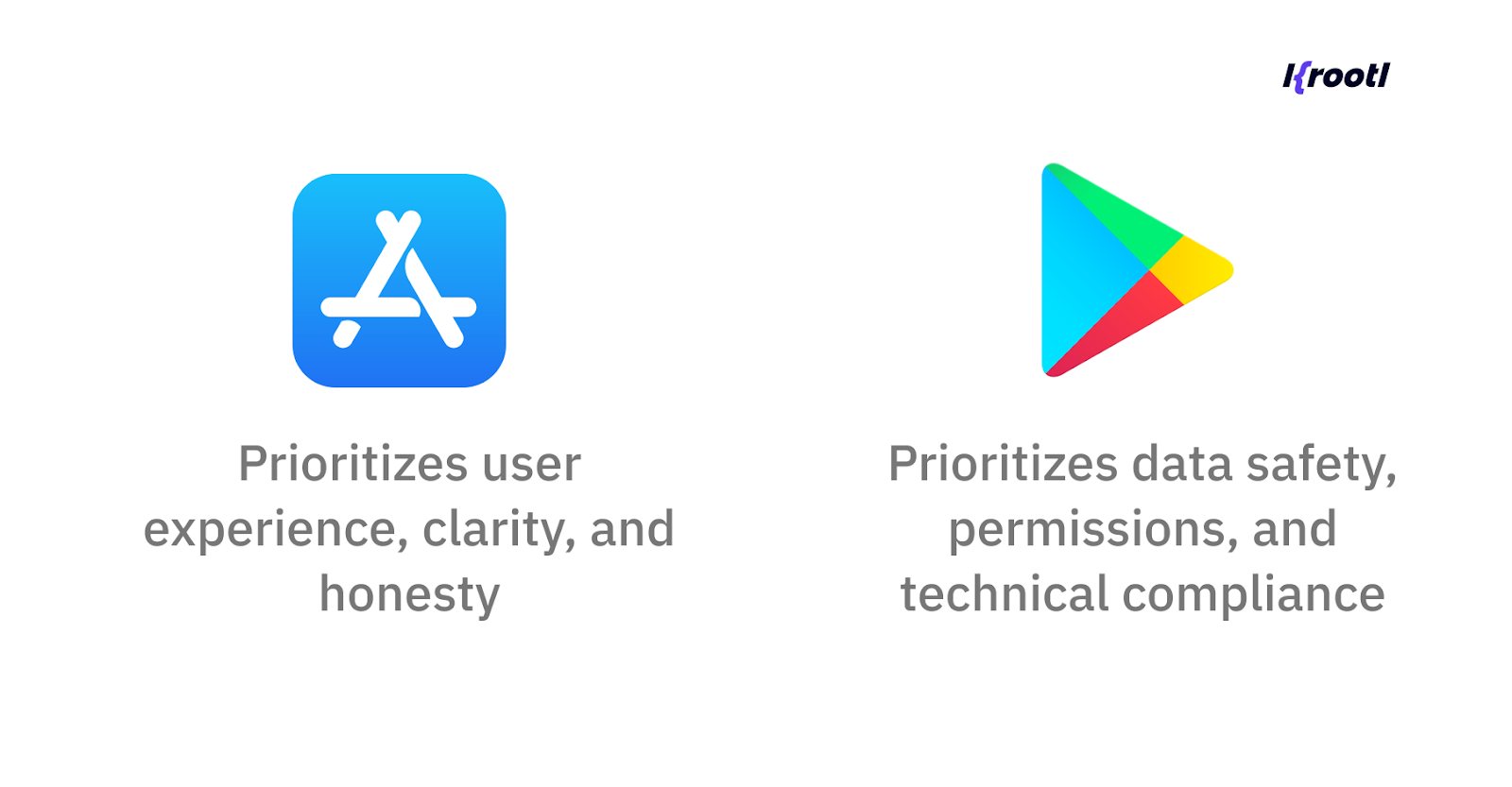
Your app must satisfy both worlds simultaneously, especially if the same features exist across platforms. Understanding these distinctions now helps reduce friction later during review, resubmission, or post-launch monitoring.
For a deeper look at how we structure app development from idea to release, check out our Krootl Development Workflow guide.
Most Common Reasons Apps Get Removed
Before we dive into the details of each issue, here’s a quick overview of the most common reasons apps get removed from the App Store and Google Play. Although the two platforms approach compliance differently, most violations fall into similar categories.
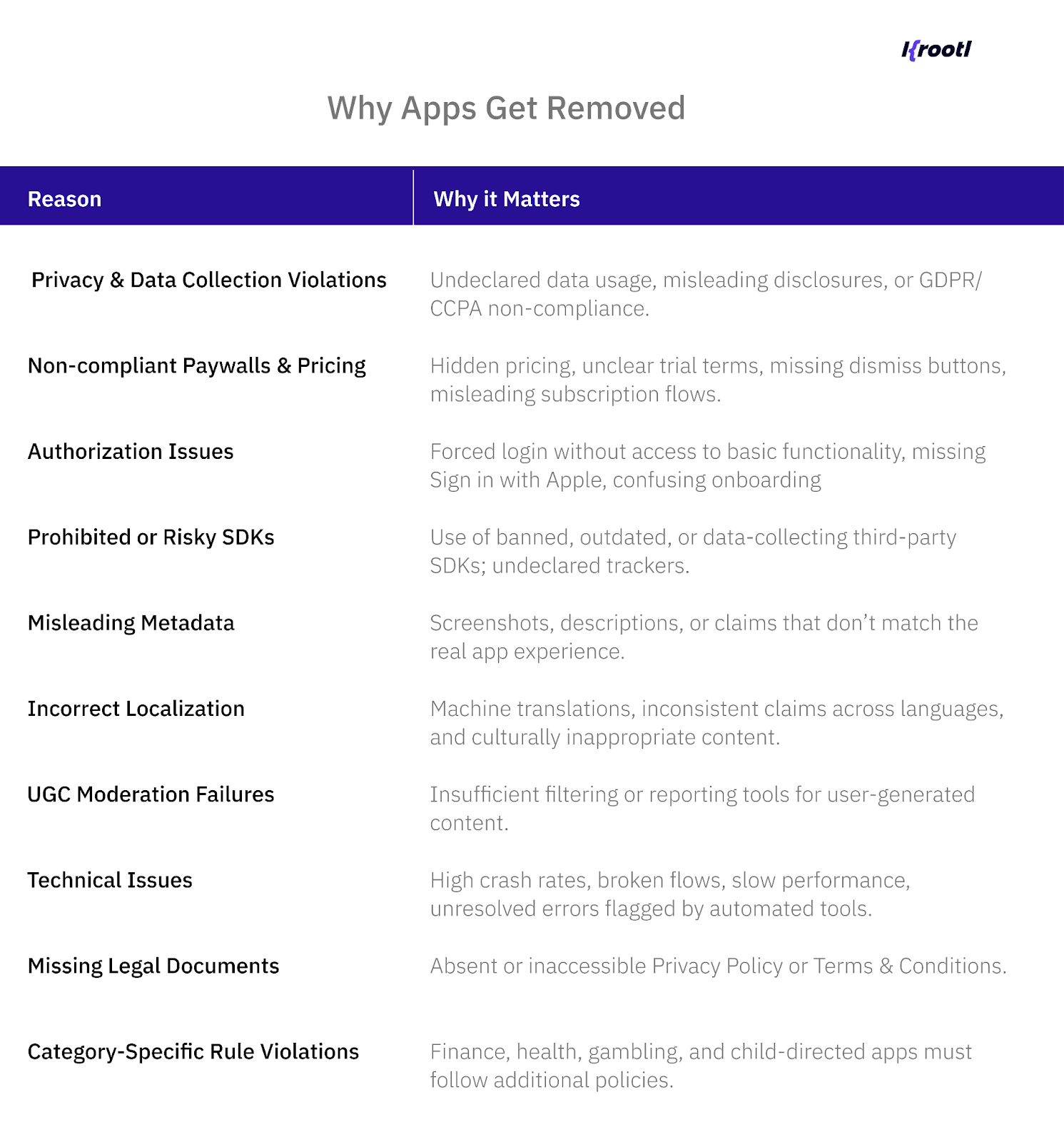
Many teams only revisit compliance after their app is removed from the App Store or Google Play, often months after launch.
While rejection reasons often sound generic, removals usually happen because of very specific, repeatable mistakes. Below are the most common ones we see in practice and why stores treat them seriously.
Privacy and Data Collection Violations
Privacy is no longer a legal checkbox, it’s a core review criterion.
Apps are frequently removed when there’s a mismatch between what they say they collect and what they actually do. This includes undeclared analytics events, background data collection, or third-party SDKs that transmit information without proper disclosure.
Common triggers:
- Data collected but not declared in App Store Privacy or Google Play Data Safety
- Tracking is enabled without proper user consent
- GDPR-related gaps (no opt-out, no deletion request handling)
- SDKs are collecting device or behavioral data silently
Even unintentional inconsistencies can result in removal, especially on Google Play, where automated systems constantly compare declared data against real network behavior.
Non-Compliant Paywalls and Subscription Flows
Paywalls are one of the most frequent rejection and removal triggers, especially on the App Store. Stores expect absolute clarity around pricing. Users must understand what they’re paying for, how much, and when, before they tap a purchase button.
Typical issues include:
- Prices are hidden or displayed only after interaction
- Trial terms not clearly explained
- Dismiss buttons that are hard to find or visually minimized
- Overly aggressive CTAs that pressure users into subscriptions
Apple actively detects so-called “dark patterns” and may remove apps retroactively if a paywall is updated in a misleading way.
Authorization and Onboarding Issues
Forcing users to create an account before they can explore the app is a common reason for rejection, especially if registration isn’t strictly required for core functionality.
Problems often arise when:
- Login is mandatory without a clear justification
- Users can’t preview features before signing up
- Sign in with Apple is missing while other social logins exist
- Onboarding hides key information behind unclear CTAs
Apple considers these UX issues, while Google often sees them as misleading user flows. In both cases, they increase the risk of removal.
Risky Third-Party SDKs
Your app may be compliant, but one SDK inside it may not.
Stores routinely remove apps because of:
- Outdated or banned SDK versions
- Libraries that collect data beyond their stated purpose
- SDKs flagged as malicious or privacy-invasive
- Dependencies that change behavior after an update
Google Play is especially strict here and often removes apps in batches when a specific SDK is flagged. This can happen without any code changes on your side.
Misleading Metadata and UX Claims
If your screenshots, description, or store listing promise something the app doesn’t deliver, that’s a red flag.
Examples include:
- Claiming features that only exist behind a paywall
- Showing outdated UI in screenshots
- Overpromising results (especially in health, finance, or productivity apps)
- Using vague or exaggerated language to drive installs
Even small inconsistencies between the listing and the actual experience can lead to rejection or later removal after user complaints.
Localization Errors
Localization is not just about language, it’s about accuracy. Machine translations often introduce unintended claims, regulatory triggers, or misleading wording. In regulated categories, this can be especially risky.
Common issues:
- Different promises across languages
- Legal or medical terms translated incorrectly
- Cultural or regulatory mismatches
- Inconsistent pricing or feature descriptions between locales
Stores treat misleading translations the same way as misleading content.
UGC Moderation Failures
Apps that allow users to post content must actively moderate it.
Problems arise when:
- There’s no reporting mechanism
- Harmful or illegal content remains visible
- Moderation is reactive instead of proactive
- Policies exist but aren’t enforced in practice
Both Apple and Google expect apps to demonstrate real moderation, not just policy pages.
Technical Stability and Performance
Finally, apps can be removed simply because they don’t work well enough.
This includes:
- High crash rates
- Broken onboarding or purchase flows
- Severe performance issues
- Repeated failures detected by automated monitoring
In some cases, poor stability alone is enough to trigger a temporary suspension until fixes are submitted.
Compliance Checklist Before Submission
Before submitting your app or rolling out a major update, it’s worth running a final compliance check. Most removals happen not because of a single critical issue, but because several small gaps add up. Use this checklist as a last line of defense before review.
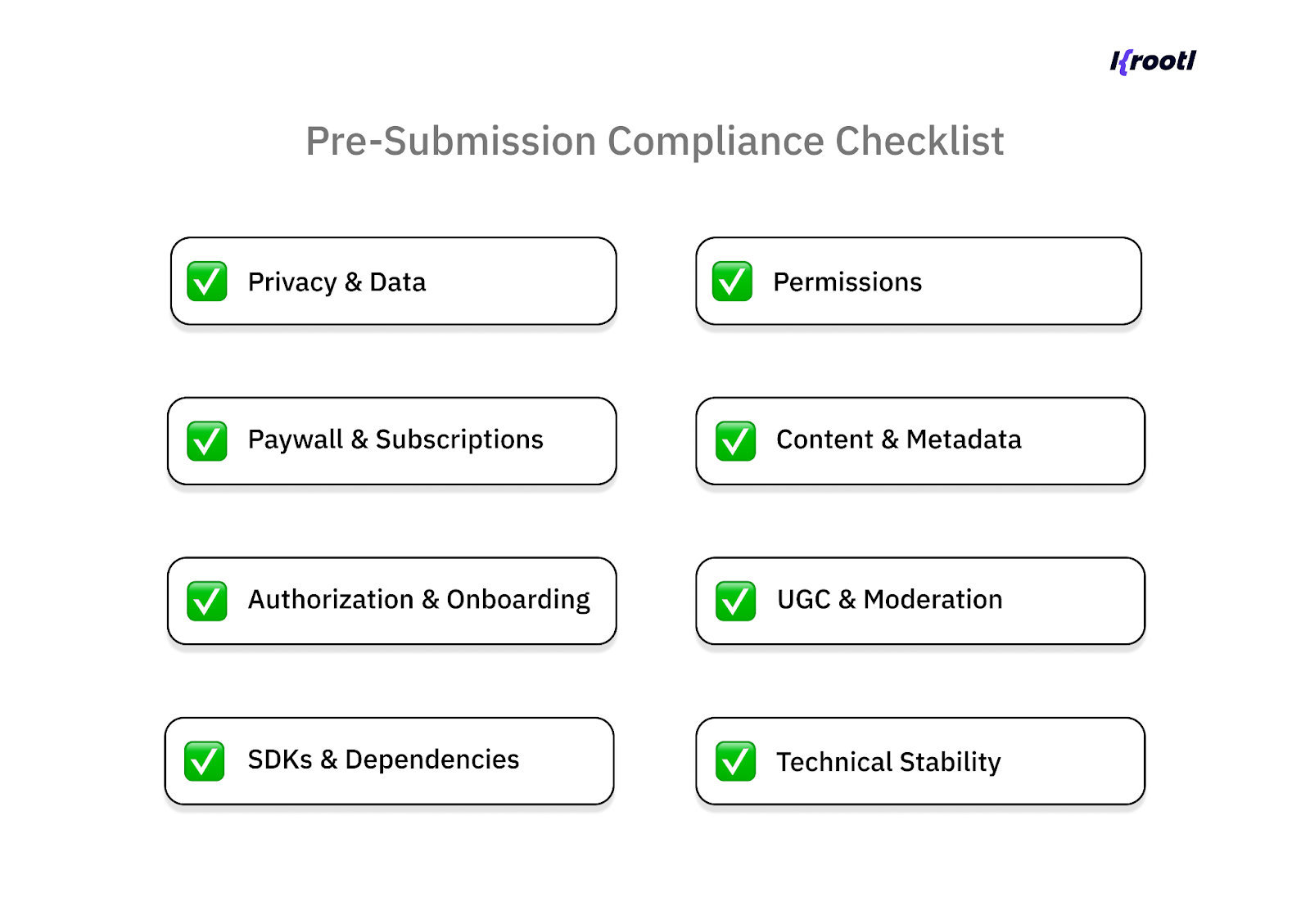
Privacy & Data
- All collected data is accurately declared in App Store Privacy and Google Play Data Safety
- No hidden or unnecessary data collection
- GDPR requirements are covered (user consent, data access, deletion requests)
- Tracking is handled correctly and transparently
Paywall & Subscriptions
- Prices are clearly visible before purchase
- Trial terms and billing frequency are easy to understand
- Dismiss/close button is visible and accessible
- Links to Privacy Policy and Terms & Conditions are present on the paywall
- No misleading or aggressive purchase prompts
For a deeper look at app monetization strategies, check our guide on choosing the right business model for your app.
Authorization & Onboarding
- Login is not forced unless strictly required
- Core functionality can be previewed where possible
- Sign in with Apple is implemented if other social logins exist
- Onboarding flows are clear and honest
SDKs & Dependencies
- All third-party SDKs are reviewed and up to date
- No banned or high-risk libraries
- SDK behavior matches declared data usage
- Dependencies are monitored for policy changes
Permissions
- Requested permissions are justified by actual features
- No restricted permissions without explicit approval
- Permissions match platform-specific requirements
Content & Metadata
- App description and screenshots match real functionality
- No exaggerated or misleading claims
- Localization is accurate and consistent across languages
- Regulated content follows category-specific rules
UGC & Moderation
- Clear content guidelines are in place
- Reporting and moderation tools are functional
- Harmful content can be quickly removed
Technical Stability
- Crash rate is within acceptable thresholds
- Core flows work end to end
- No critical performance issues
- Latest build passes internal QA
Running this checklist before every submission or major update significantly reduces the risk of rejection or post-launch removal.
What To Do If Your App Gets Removed
If your app gets removed from the App Store or Google Play, the most important thing to remember is this: removal is not the end of the product. In most cases, it’s a signal that something needs to be corrected, not that the app is permanently banned.
Here’s how to approach the situation step by step.
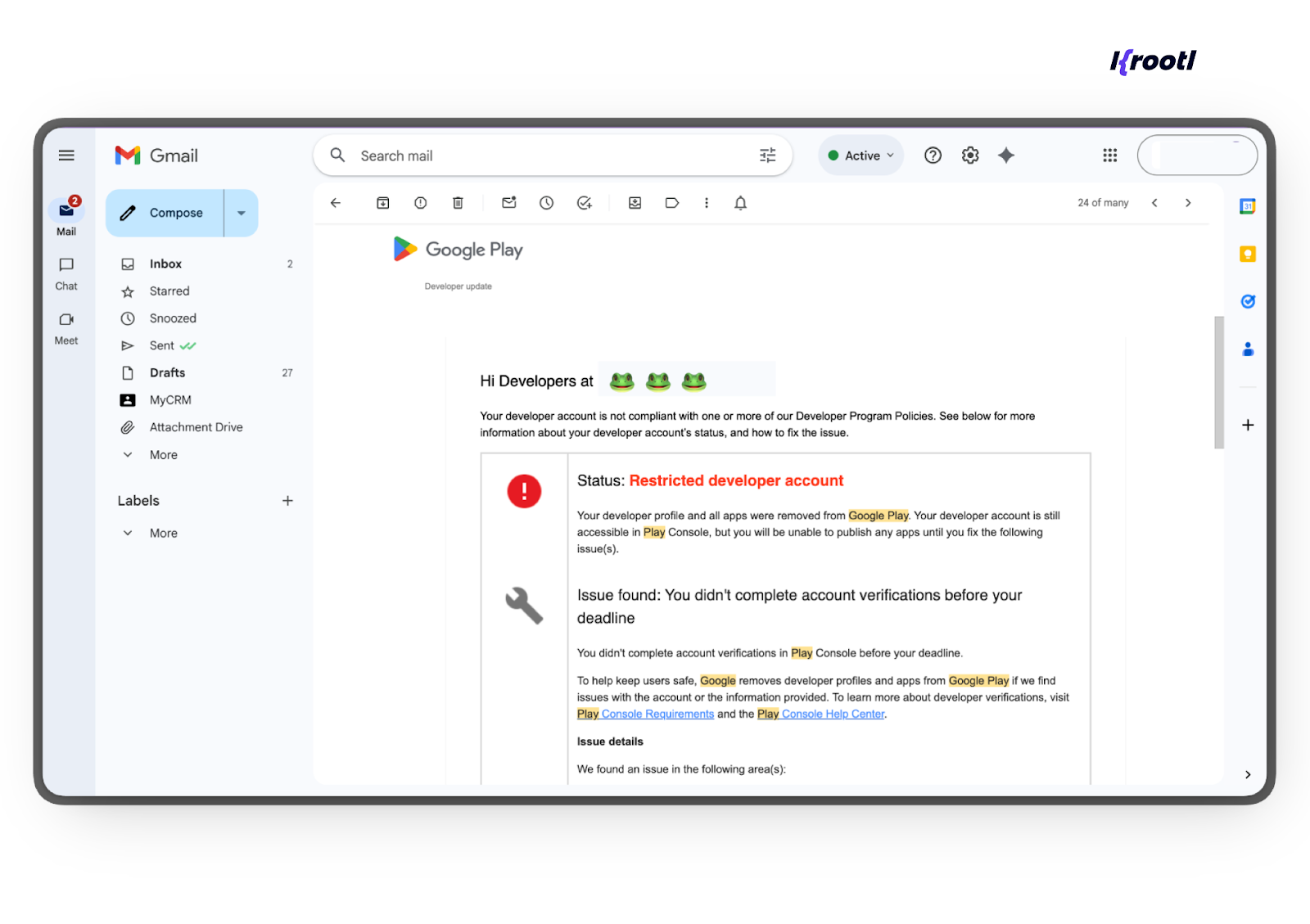
Start with the removal notice
Both Apple and Google provide a reason for removal, even if it feels vague at first. Carefully review the notice in App Store Connect or Google Play Console and identify the category of the violation: privacy, payments, permissions, content, or technical stability.
Avoid making assumptions or rushing into changes before you fully understand what triggered the action.
Audit the app against the cited policy
Once the issue is identified, compare your app’s behavior with the relevant guideline section. This is where many teams realize the problem isn’t a recent code change, but something that slipped out of compliance over time an SDK update, a new paywall version, or outdated metadata.
Focus on:
- the exact user flow referenced in the notice
- recently added features or dependencies
- mismatches between declared and actual behavior
Fix the root cause, not just the symptom
Quick patches rarely work. Stores expect the underlying issue to be resolved completely.
For example:
- If pricing was unclear, redesign the paywall not just the copy
- If data collection was flagged, audit all SDKs and network calls
- If authorization caused issues, rethink the onboarding flow
The goal is to demonstrate a clear, intentional fix not a workaround.
Prepare a clean resubmission
Once fixes are in place:
- update metadata if needed
- revise privacy disclosures or Data Safety forms
- add clear notes for the reviewer explaining what changed and why
Clear reviewer notes significantly improve the chances of approval, especially after a removal.
Appeal when appropriate
If you believe the removal was triggered by an automated check or a misunderstanding, both platforms allow appeals. Appeals work best when they are:
- concise
- respectful
- clearly tied to specific guideline sections
Emotional or defensive appeals rarely help.
Treat removal as a process issue
Most removals highlight a missing internal process rather than a single mistake. Teams that recover fastest usually introduce regular compliance reviews, automated checks, and pre-release audits to prevent the same issue from happening again.
How Krootl Helps With Store Compliance
For most teams, compliance becomes a concern only when something goes wrong after a rejection or removal. As a Flutter app development team, we help companies not only launch apps, but also support ongoing development and compliance across both platforms.
Our approach is built around a lightweight but structured compliance framework that helps teams stay aligned with App Store and Google Play requirements throughout the app lifecycle.
Compliance as an Ongoing Process
Store guidelines change constantly, and relying on one-time reviews is no longer enough. That’s why we build compliance checks into every stage of development from early UX decisions to post-launch monitoring.
This includes:
- tracking updates to App Store and Google Play policies
- reviewing new features against current guidelines
- validating third-party SDK behavior
- reassessing paywalls, onboarding, and permissions over time
Pre-Submission Audits
Before submission or major updates, we run focused audits covering the areas most likely to trigger rejections or removals:
- authorization and onboarding flows
- paywalls and subscription transparency
- privacy disclosures and data safety declarations
- SDK usage and permissions
- metadata, screenshots, and localization
This helps catch issues early before they reach a reviewer or an automated enforcement system.
Platform-Specific Expertise
App Store and Google Play enforce different priorities. We account for that by reviewing the same feature through two lenses:
- Apple’s UX- and privacy-driven expectations
- Google Play’s data, permissions, and SDK-focused policies
This is especially important for cross-platform apps, where a single implementation can behave differently across stores.
Support During Review and After Launch
We don’t stop at submission. If an app is flagged, rejected, or removed, we help teams:
- analyze the root cause
- implement compliant fixes
- prepare clear reviewer notes or appeals
- resubmit with confidence
Post-launch, we also help monitor compliance risks introduced by SDK updates, policy changes, or new features.
Built for Flutter-Based Products
Since many of our projects are built with Flutter, we pay special attention to how shared code interacts with platform-specific rules. This allows us to adapt faster, reduce duplicated fixes, and keep both iOS and Android versions compliant without slowing down development.
Wrapping up
Getting an app approved is no longer the hardest part. Keeping it live in the App Store and Google Play is.
As review processes become more automated and guidelines evolve, apps are often removed not because of major mistakes, but due to small compliance gaps—an outdated SDK, an unclear paywall, or a flow that no longer meets current rules.
The good news is that most of these risks are preventable. When compliance is treated as an ongoing process built into product decisions, development, and post-launch monitoring, apps become far more resilient to policy changes.
If you’re planning to launch an app or dealing with review or compliance issues, Krootl can help. We support teams with app audits, guideline alignment, and long-term compliance across the full app lifecycle.
Let’s talk and make sure your app is ready not just for approval, but for the long run.