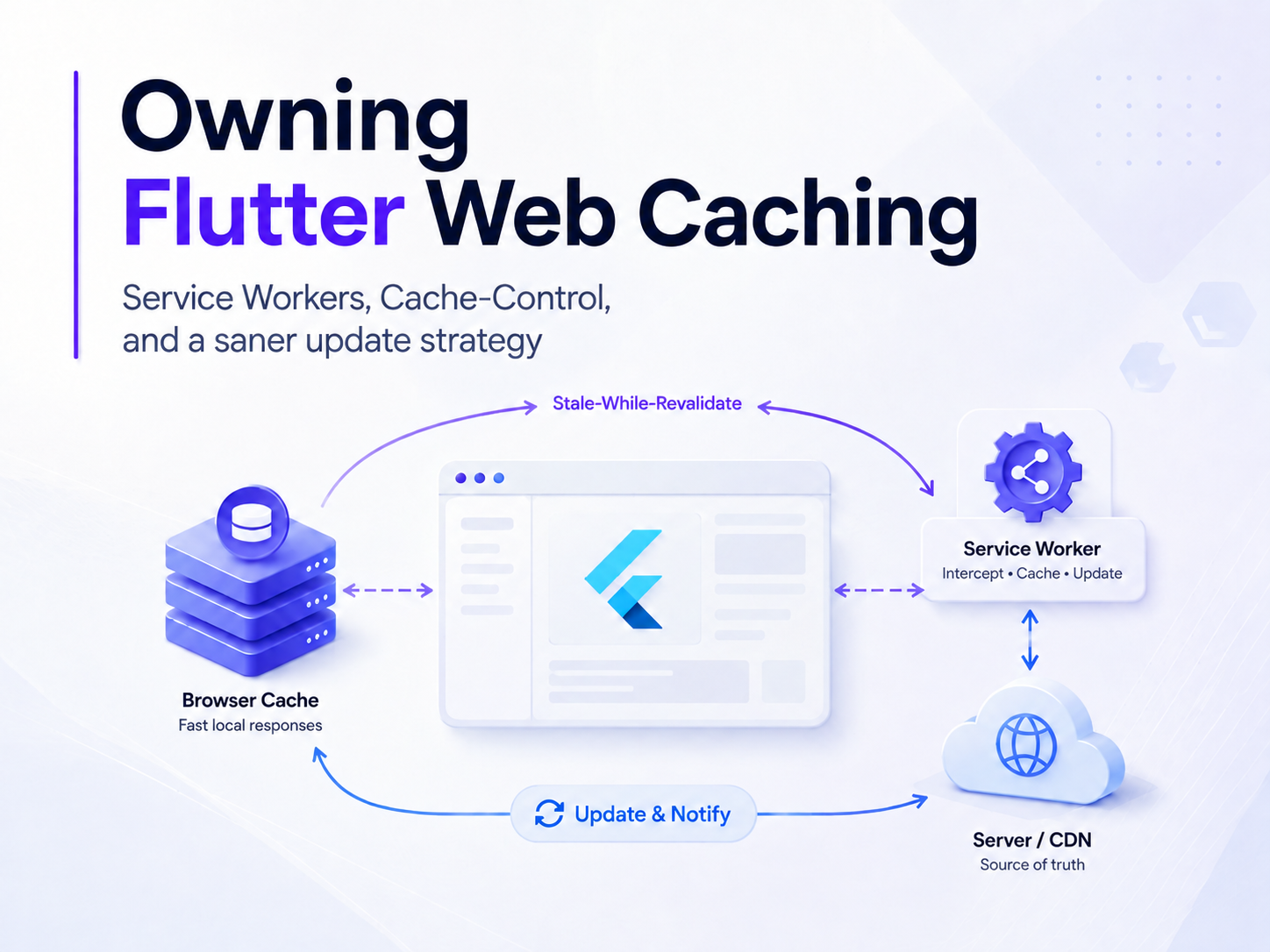
Owning Flutter Web Caching
Service Workers, Cache-Control, and an update strategy that doesn’t punish cold starts
A Flutter web build already looks like a PWA out of the box: manifest, icons, flutter_service_worker.js. Add to Home Screen. Done.
I kept catching old builds in the wild, so I played with the knobs: force updates, hard reloads, and CDN headers that basically said never trust a cache again.
Then I opened the app from the home-screen icon and it felt brand new. Fresh. Downloading everything from scratch. And it happens every time.
That is the trap this article is about: how Flutter’s Service Worker went from caching to cleaning up after itself, how “force update” plus aggressive headers turn cold opens into a full re-download, and how I got out of it with a post-build stale-while-revalidate worker and a saner Cache-Control.
My setup runs on Firebase Hosting, so the header examples below are in firebase.json format. Nothing here is Firebase-specific in spirit, though. Flutter web deploys anywhere (Netlify, Vercel, Cloudflare Pages, etc), and the same three ideas carry over to all of them: which files revalidate, which files get cached, and who owns the update policy. Only the config syntax changes.
No data-layer talk. Just the SW and the CDN.
TL;DR
As of Flutter 3.41 (February 2026), the default web build stopped shipping a caching Service Worker: it now ships a cleanup stub that unregisters itself and reloads. Returning installs still on a pre-3.41 worker feel this on the first visit after you upgrade and redeploy; brand-new visitors usually get no Flutter-managed worker at all. Normal HTTP caching still works, what is gone is the built-in Cache Storage offline shell. For a PWA that feels installed after a cold home-screen open, you need to bring your own: a post-build generator that writes a stale-while-revalidate flutter_service_worker.js, a custom flutter_bootstrap.js that registers it without gating first paint, and a sane Cache-Control split (no-cache on entrypoints, max-age=0 + long s-maxage on the unhashed artifacts). The generator and the bootstrap are both required. Optionally, long sessions can show an "Update available" prompt that only reloads after the user agrees. The rest of this article is how I got there.
The promise: Flutter web ≈ PWA
For a long time Flutter web felt PWA-adjacent by default. You built, you deployed, and somewhere in build/web there was a flutter_service_worker.js that cached assets and made the "installable web app" demo look respectable.
So for a while I read it as: Flutter ships a Service Worker, this is the blessed path, just use it.
Except it is not the blessed path for every app, and recently it is not even the default. Flutter’s own direction (flutter#156910, and the cleanup Service Worker design) is pretty blunt: one Service Worker per scope is sacred, the default confused people, and the framework would rather step aside. Which is probably for the better, honestly, even if it means a bit more work for us.
So, in the self-cleaning service worker PR that merged to master in October 2025 and shipped in stable 3.41 (February 2026), the default worker became a cleanup stub: it skips waiting, unregisters itself, and navigates the open clients so they reload. Two details matter. It does not obviously purge your old Cache Storage, it just stops controlling the page, so stale caches can sit there inert. And with the default FlutterLoader path, Flutter only registers this stub when it detects an old worker to clean up, so a brand-new visitor with no prior registration does not get a Service Worker at all. (If you register your own worker explicitly, as the bootstrap later in this article does, that conditional does not apply, everyone gets your worker.)
If you were still treating flutter_service_worker.js as your offline shell, like I kind of did, you did not really lose a caching strategy. You never fully had one. You just found out the polite way. And the transition is not instant: upgrading to 3.41 and redeploying does not flush every client at once, since a returning install keeps serving its old worker's cache until the user comes back and the cleanup (or your replacement) worker runs.
The plot twist: a Service Worker that cleans up and leaves
Open a recent Flutter web build expecting Workbox-grade caching and you may find a short script that basically does this:
- Skip waiting and activate immediately
- Unregister itself
- Navigate the open clients so they reload, then exit
(The “register only if an old worker already exists” part is the loader’s job, not the stub’s; the stub itself just cleans up and leaves.)
Which is correct if the goal is “stop shipping a default SW that people fight against.”
It is less fun if your product promise is Add to Home Screen, come back tomorrow, and feel installed instead of downloading the WASM, the renderer and half of the release again.
A browser tab is forgiving, it keeps warm state around, so even without a caching worker a reopened tab often feels instant. A home-screen install is a different animal. On iOS a standalone PWA is often discarded when you switch away, so while it can snapshot and restore, an idle-then-reopen frequently comes back as a cold start. On Android it usually freezes in the background and may resume, but under memory or storage pressure it gets evicted too. Either way, a cold launch is common enough that a cleanup stub, which keeps nothing warm, leaves you fetching everything again. Keeping the shell warm just isn’t its job.
To be fair to Flutter, the missing worker is not the whole story. Without any Service Worker, the browser’s own HTTP cache can still carry a lot of your assets across a cold open, so things are not automatically catastrophic. The full download moment usually needs a second ingredient: cache headers that tell the browser to keep nothing.
The clever fix that hurts: force update
When the home-screen icon looks stuck on an old build, the first idea that comes to mind is the nuclear one:
- Call
registration.update()aggressively - Listen for
controllerchange location.reload()
Congratulations, you solved forever-stale. In my case I also invented forever-reloading, at least on some devices.
And the force-update story is not complete without its quiet accomplice, the hosting headers.
Cache-Control, or how I taught the CDN to sabotage my PWA
A Service Worker cannot do much if the CDN swears that every byte is uncacheable. Flutter’s own FAQ has two short sections worth reading here: why your app doesn’t update right after a deploy and how to configure your cache headers, which even ships a Firebase Hosting example that splits max-age and s-maxage. The split below is the same idea, tuned for a PWA that also runs its own worker.
After the requirement “users must never see an old build,” it is tempting to decorate Firebase Hosting (or any CDN) like this:
{
  "source": "**",
  "headers": [{
    "key": "Cache-Control",
    "value": "no-cache, no-store, must-revalidate"
  }]
}
It feels safe. It also quietly disables every cache you have downstream:
- Browser HTTP cache: mostly unemployed
- Service Worker Cache Storage: nothing solid to revalidate against
- Cold home-screen open: an honest network trip for the shell and the heavy assets
It is an easy config to end up with, and an easy one to miss. You open DevTools, watch a “cached” PWA re-download main.dart.wasm on every cold open, and go hunting through the worker for the bug. But the answer is usually not in the worker at all. It is wherever your cache headers live, whatever your host calls that file (in my case, firebase.json).
no-store vs no-cache vs max-age
This distinction is the thing that actually matters here, and it is easy to mix up.
Request for a file
        │
        ▼
┌───────────────────┐
│ Cached copy?      │
└─────────┬─────────┘
          │
     no ──┼── yes
     │         │
     ▼         ▼
  network   Which Cache-Control?
                    │
        ┌───────────┼───────────┐
        ▼           ▼           ▼
   no-store     no-cache      max-age=N
   Ignore       Keep a copy,  If age < N:
   cache;       but ask the   use cache
   always       origin first  WITHOUT
   network      (ETag → 304)  asking
Short version:
no-storemeans "don't remember." Every open is a full fetch.no-cachemeans "remember, but ask if it is still valid before using it" (If-None-Match→ often304).max-age=Nmeans "for N seconds, don't even ask."
So when I say the entry points should use no-cache, I mean: these files start the app, always check if a new deploy exists, and if not, a 304 is fine, do not re-download the whole stuff.
index.html / bootstrap / service_worker.js / manifest
        → no-cache               (notice new deploys)

main.dart.wasm / js / assets
        → max-age=0 + s-maxage   (browser revalidates, CDN caches)

blanket ** → no-store
        → kills the HTTP cache and the point of SWR
Entrypoints in a Flutter web PWA are usually:
index.htmlflutter_bootstrap.jsflutter_service_worker.js(browsers usually bypass the HTTP cache for the worker script itself, but a CDN or edge that holds an old copy still delays noticing new workers)manifest.webmanifest/manifest.json- optionally
version.json
The heavy build artifacts (main.dart.wasm, JS, assets) are the tricky part, because Flutter does not content-hash most of their filenames. main.dart.wasm is always called main.dart.wasm, so if you slap a long browser max-age on it, a client can serve last week's binary against this week's index.html and hand you a white screen. Flutter's own FAQ recommends max-age=0 (browser always revalidates, a cheap 304 when nothing changed) plus a long s-maxage so the shared CDN still absorbs the load. Your Service Worker then does the actual stale-while-revalidate in Cache Storage, which is where the instant first paint comes from. s-maxage is the shared-cache / CDN version of max-age. Same idea, different audience.
A sane split (Firebase Hosting style)
"headers": [
  {
    "source": "**",
    "headers": [{
      "key": "Cache-Control",
      "value": "public, max-age=0, s-maxage=604800"
    }]
  },
  {
    "source": "/",
    "headers": [{ "key": "Cache-Control", "value": "no-cache" }]
  },
  {
    "source": "/index.html",
    "headers": [{ "key": "Cache-Control", "value": "no-cache" }]
  },
  {
    "source": "/flutter_bootstrap.js",
    "headers": [{ "key": "Cache-Control", "value": "no-cache" }]
  },
  {
    "source": "/flutter_service_worker.js",
    "headers": [{ "key": "Cache-Control", "value": "no-cache" }]
  },
  {
    "source": "/manifest.webmanifest",
    "headers": [{ "key": "Cache-Control", "value": "no-cache" }]
  },
  {
    "source": "/manifest.json",
    "headers": [{ "key": "Cache-Control", "value": "no-cache" }]
  },
  {
    "source": "/version.json",
    "headers": [{ "key": "Cache-Control", "value": "no-cache" }]
  }
]
One trap here: Firebase Hosting does not pick the “most specific” rule, it applies header rules in the order you write them and the last matching one wins. So the order above matters. The broad ** must come first and the no-cache entrypoints after, or a later ** would clobber your no-cache on flutter_service_worker.js. On nginx, Netlify, Cloudflare Pages and friends the matching rules differ again, but the intent is the same: pin no-cache on the entrypoints and let everything else revalidate cheaply while the CDN caches it. One more caveat: s-maxage=604800 (a week) is only safe because Firebase purges its shared cache on every deploy. On a CDN that does not auto-purge (CloudFront, a bare nginx cache), you must invalidate on deploy or drop the long s-maxage, otherwise the edge serves a week-old build.
The mental model I keep in my head:
- Entrypoints →
no-cache, notice deploys without banning caches - Artifacts →
max-age=0+ longs-maxage, browser revalidates, CDN stays fast - SW strategy → SWR, first paint from Cache Storage, update on next launch
If one of these three disagrees with the other two, you will be debugging ghosts.
What I actually wanted: stale-while-revalidate
The boring and correct requirement for a lot of consumer PWAs is this:
- First paint: last-known-good shell from cache
- Background: look for a new worker and new assets
- Activation: apply on the next launch, or behind an explicit Update button
- Do not hard-reload in the middle of a session just because
controllerchangefired
One honest caveat about the “activation on next launch” line: it applies to the Service Worker itself, which waits for the next cold open. Individual assets still revalidate in the background, so Cache Storage can update file by file mid-session rather than swapping the whole shell atomically. With unhashed filenames that could, in theory, mix an old and a new asset until the next full reload. It stays acceptable because the entrypoints are on no-cache and we never force a hard reload mid-session, so the mismatch resolves cleanly on the next launch.
Flutter no longer gives you that worker for free. The default strategy still emits a flutter_service_worker.js, but since 3.41 the body is a self-cleaning stub, not a caching worker. The Web FAQ is explicit about not treating it as your PWA strategy: if you want real caching, build your own worker (or reach for something like Workbox).
Why not just commit web/flutter_service_worker.js?
That was my first thought too, and it does not work for two reasons. Flutter overwrites the file: the web build always writes build/web/flutter_service_worker.js at the end (the cleanup stub), so a copy in web/ does not survive the build. And a real caching worker needs the hashes of main.dart.wasm, the JS and the assets, which only exist after flutter build, so a static checked-in worker cannot know tomorrow's hashes anyway.
So the boring grown-up pattern is: build, then post-process build/web, then deploy.
fvm flutter build web --wasm --dart-define=ENV=…
node tool/generate_pwa_sw.mjs build/web
# then sync build/web → hosting
The full generator
Here is the whole Node script I use. It walks build/web, builds an MD5 resource map, and overwrites flutter_service_worker.js with a stale-while-revalidate worker that:
- precaches a small CORE shell
- serves cached responses right away and refreshes them in the background
- does not call
skipWaiting, so a new build activates on the next launch - listens for a one-shot
SKIP_WAITINGmessage, so an optional "Update available" UI can promote the waiting worker when the user chooses (more on that below)
Two honest limits here. The first visit is still mostly network: registration sits off the critical path, so the earliest fetches miss the worker, Cache Storage is empty until CORE finishes precaching, and the heavier renderer pieces (skwasm, canvaskit) are left out of CORE on purpose until stale-while-revalidate pulls them in later. Come back for a second cold open and the worker is already there, so CORE paints from cache. The other limit is about deploys: with no skipWaiting, a new worker waits for the next cold open before it replaces the old one. It will not take over mid-session.
Is this the one true PWA setup? Probably not. But it gave me back control over my own update policy, and that was the whole point. Wire the generator into whatever you already use to publish build/web, a CI step, a deploy script, a Makefile, whatever you have. Two assumptions to flag: it expects the app to be served from the origin root (the URL-key logic and the / navigation fallback do not handle a https://host/app/ subpath), and it must run after every build, since a plain build/web copy would ship the cleanup stub instead.
Bootstrap: don’t block first paint on network honesty
Even with a real worker and sane headers, the default generated flutter_bootstrap.js can still ruin things. On Flutter 3.41+ the build may emit _flutter.loader.load({ serviceWorkerSettings: … }), which makes the loader wait on Service Worker preparation before it paints anything. And its loader only registers a worker when it finds an old one to clean up, so a brand-new visitor gets nothing. The fix is one custom bootstrap that registers your worker itself, guarantees every visitor gets it, and then calls plain _flutter.loader.load() with no serviceWorkerSettings, so first paint never waits on the network.
The rule I follow now lives right in the file. It is loaded from index.html the usual way, asynchronously:
<script src="flutter_bootstrap.js" async></script>
Because it is async, the load event may already have fired by the time it runs, which is exactly why the registration below guards on document.readyState instead of only listening for load:
One rule that is easy to trip over: do not pass serviceWorkerSettings to _flutter.loader.load(). That path hands the worker to Flutter's own loader (the cleanup stub on 3.41+), and it will fight the manual registration above.
New builds still arrive, they just stop ambushing the user on the first frame.
Worth stating plainly, because it is easy to ship half of this: the generator and this bootstrap are both required, and only together. The generator alone is not enough, since the default loader only registers a worker when it finds an old one to clean up, so a brand-new visitor would never receive your file. And the bootstrap alone is worse than nothing: registering flutter_service_worker.js without running the generator first just registers the cleanup stub, which unregisters itself and navigates the page, a forced reload instead of caching. Run the generator on every build, and register with this bootstrap. Neither step is optional.
Optional: an “Update available” dialog (without forever-reloading)
Background-only updates are the right default for many home-screen apps: install the new worker quietly, leave the open session alone, apply on the next cold open. But there is a second product need, especially for long-lived desktop tabs like admin dashboards and ops tools. The user has been working for hours, a deploy landed while the tab stayed open, and you want them to notice it rather than be ambushed mid-click, yet you still refuse an automatic controllerchange → location.reload(). That is explicit opt-in activation, not "force update."
The flow is:
- The page registers the SWR worker without blocking paint (same bootstrap rules as above).
registration.update()runs in the background on load, focus, and visibility changes.- When a new worker reaches the
waitingstate (installed, but the old one is still controlling the page), show a small non-blocking dialog. - Not now dismisses it; the next cold open still picks up the waiting worker.
- Refresh posts
SKIP_WAITINGto the waiting worker and reloads only after that intentional promotion.
Two hard rules carry over from the force-update failure mode: do not reload on every controllerchange, and only reload when the user hit Refresh and you set a one-shot flag for the upcoming controller change. And one install rule: do not prompt on the very first install (there is no navigator.serviceWorker.controller yet), because there is nothing stale to replace.
The worker side is tiny, and it is exactly the SKIP_WAITING handler already in the generator above, still with no automatic skipWaiting on install. The page side looks like this:
Here is how the three strategies compare:
The headers story still applies. A dialog cannot notice a deploy if the CDN keeps serving a week-old flutter_service_worker.js, so keep the entrypoint no-cache split. Consumer home-screen apps can stay next-launch-only; long-lived tabs can add the opt-in Refresh UI on top of the same SWR worker.
Takeaways
- Flutter’s default SW is no longer your PWA strategy. Treat the cleanup stub as a migration step, not as a feature.
- Force update plus a hard reload can trap you in a reload loop on pinned installs. Prefer a background update with next-launch activation.
- For long-lived tabs, an opt-in “Update available” dialog that posts
SKIP_WAITINGis fine; auto-reload on everycontrollerchangeis not. - Headers are part of the PWA. A blanket
no-storecan undo a perfect worker. - Entrypoints →
no-cache(revalidate). Flutter's artifacts are not content-hashed, so give themmax-age=0+ a longs-maxage(revalidate in the browser, cache at the CDN) rather than a long browsermax-age. And rememberno-cacheis notno-store. - Own the worker with a post-build generator, or with Workbox. Flutter basically told you to.
- Do not gate the first paint on a network update check.
If this saved you an afternoon of “why is my installed app slower than the browser tab,” leave a comment. If it did not, check whether you are still shipping the cleanup stub together with a blanket no-store, and calling that a PWA.
Farewell 👋