When mobile apps are not enough
Most apps are designed for screens that users actively open. You unlock your phone, launch an app, and interact with it for a specific task. But some interactions don’t work like that.
Tracking a workout, monitoring heart rate, and receiving a critical alert – these are not moments when users want to reach for their phone. They expect the information to already be there. This is where wearable app development becomes relevant.
Wearables are not a replacement for mobile apps. In most cases, they act as an extension, designed for quick, continuous, and often passive interactions. Instead of pulling users into an app, they bring the app closer to the user.
That shift changes how products are designed – especially when building cross-platform products with Flutter app development.
If you're planning to develop an app with wearable device integration, the goal is not to replicate your mobile experience on a smaller screen. It’s to rethink how and when users interact with your product.
In this article, we’ll break down what wearable apps actually are in practice, where they make sense (and where they don’t), how Flutter wearable app development works, and what to consider before building one.
What is wearable app development?
Before getting into development, it helps to clarify what we actually mean by wearables.
A wearable device is any electronic device designed to be worn on the body and used throughout the day without requiring constant attention. Unlike smartphones, these devices are built for continuous interaction – often collecting data in the background or delivering quick, glanceable information.
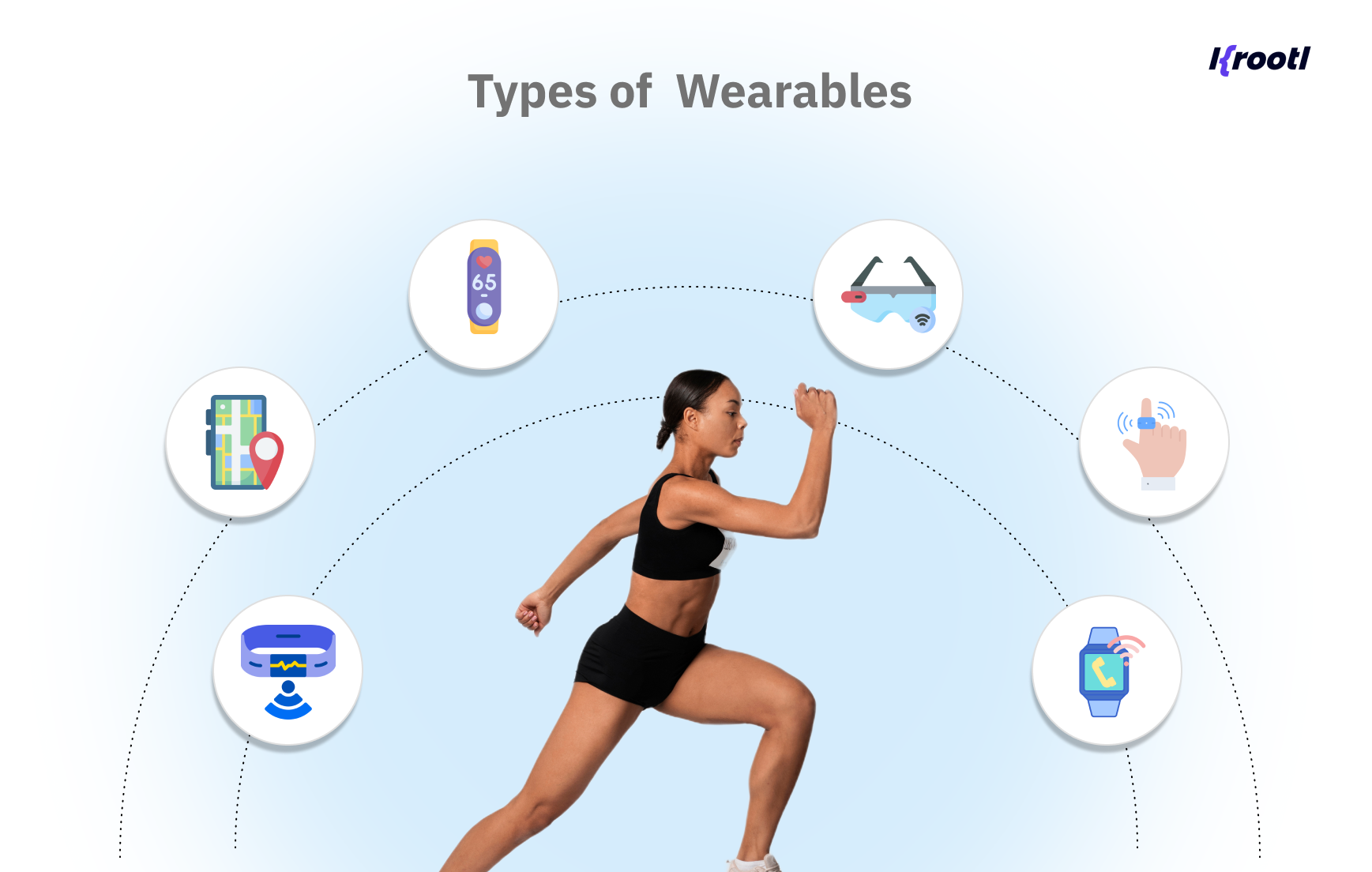
Common examples include:
- smartwatches like Apple Watch or Wear OS devices
- fitness trackers that monitor steps, sleep, and heart rate
- medical devices that continuously track health metrics
- more niche devices like smart rings or Meta glasses
What makes wearables different is not just the form factor - it’s the way users interact with them. They are designed for:
- short, immediate interactions
- passive data collection
- real-time feedback
In simple terms, it’s the process of building applications that run on or integrate with these devices. However, in real-world products, wearable apps rarely exist on their own.
Most of the time, they are part of a broader system that includes:
- a mobile application
- a backend for processing and storing data
- and the wearable device itself
The wearable acts as a lightweight interface collecting data, displaying quick insights, or enabling simple actions. The mobile app handles the heavier logic, while the backend ensures synchronization and long-term storage.
That’s why in many cases, it’s more accurate to think in terms of wearable device integration rather than standalone apps.
For example, when you develop a fitness app with wearable integration, the wearable tracks activity (steps, heart rate, workouts) in real time. The mobile app then aggregates that data, visualizes trends, and provides deeper insights.
The key idea is simple:
A wearable app is not just a smaller version of a mobile app; it’s a different interaction model.
And that difference affects everything: how features are designed, how data flows through the system, and which technologies (including Flutter) make sense to use.
Where wearable apps actually make sense
Wearables are powerful – but only in very specific scenarios.
In practice, they work best when the interaction needs to be:
- immediate
- lightweight
- or continuous in the background
If your app doesn’t fall into one of these categories, adding wearable functionality usually creates more complexity than value.
Let’s look at where wearable app development actually makes sense.
Health & fitness applications
This is the most common and natural use case.
Wearables are designed to continuously collect data like:
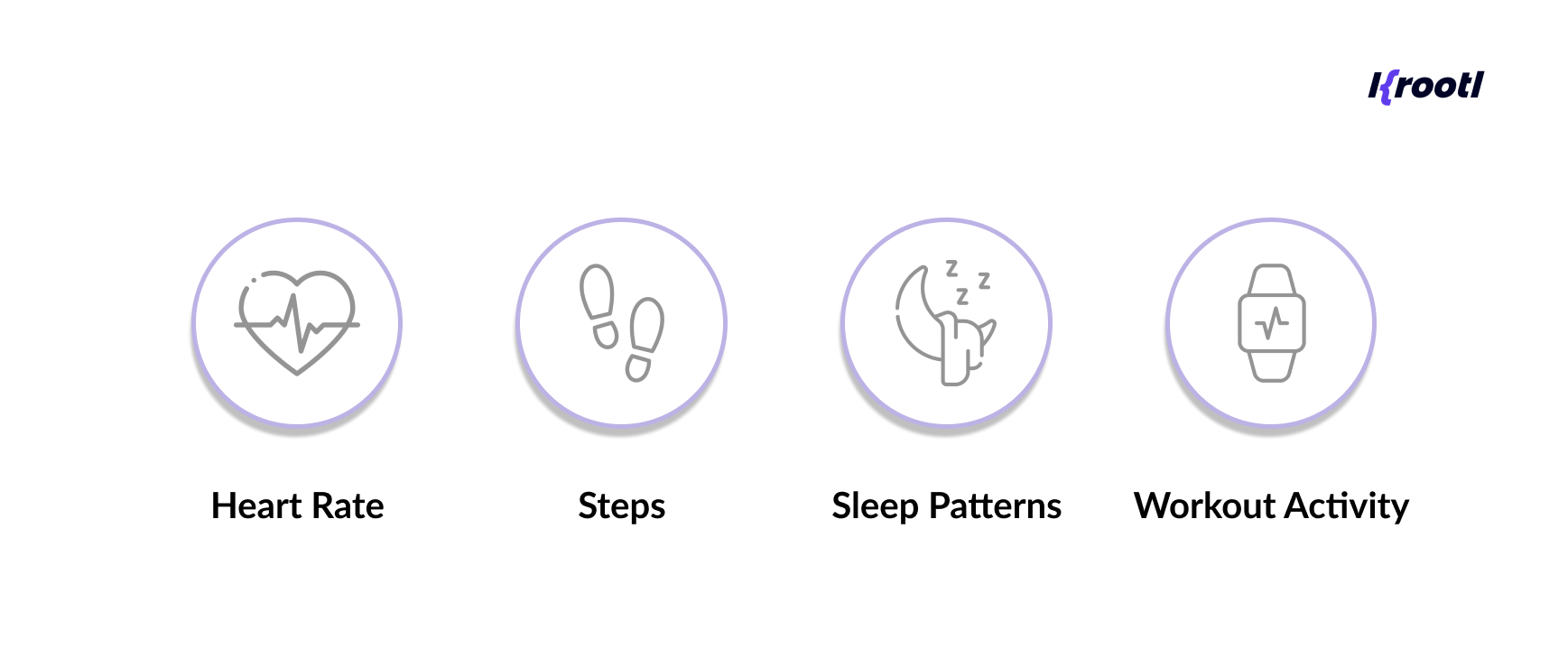
If you're planning to develop a fitness app with wearable integration, the wearable becomes the primary data source, while the mobile app handles:
- visualization
- analytics
- long-term tracking
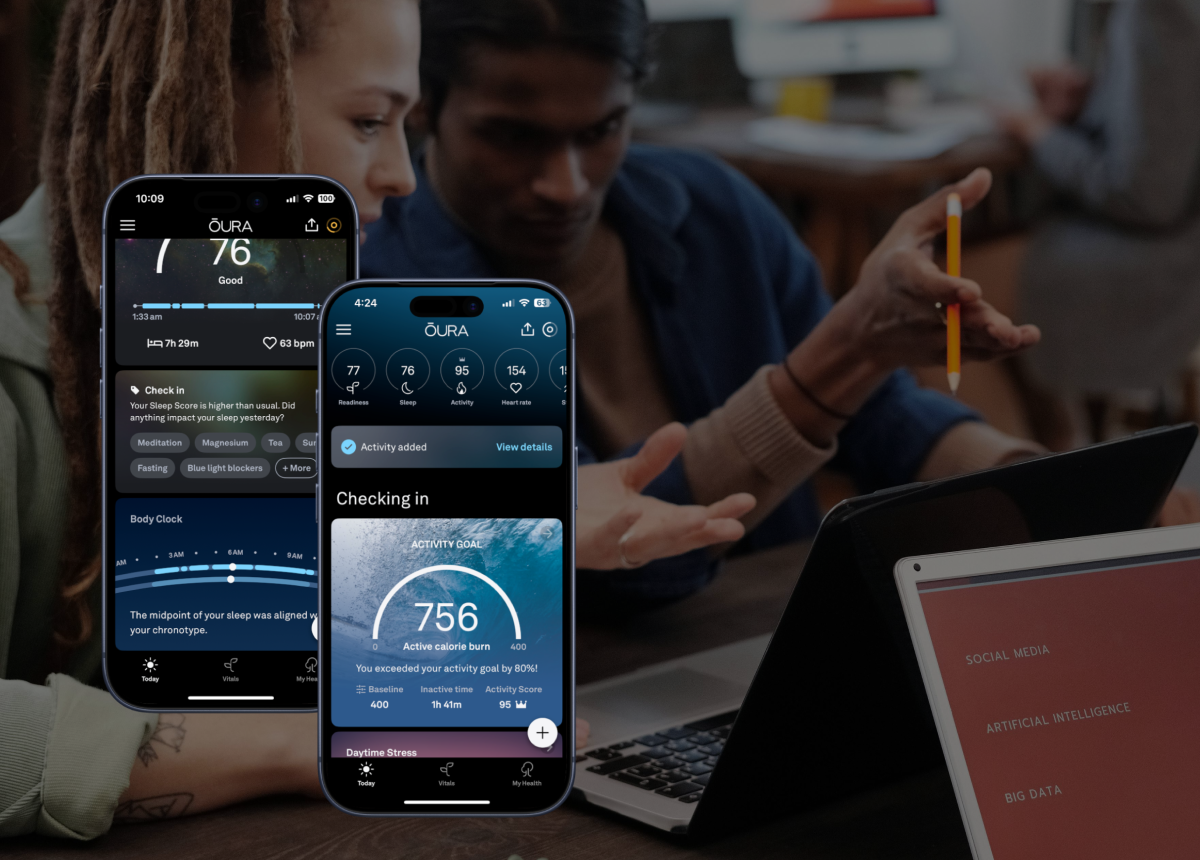
In one of our projects, we built a companion app for a continuous health-monitoring device. The wearable streams data in real time, while the mobile app handles pairing, displays health metrics, and ensures reliable data transfer to the backend.
One important detail in this kind of setup is data reliability. Since connectivity can be unstable, the app stores incoming data locally before syncing it to the server – ensuring that no records are lost during transmission.
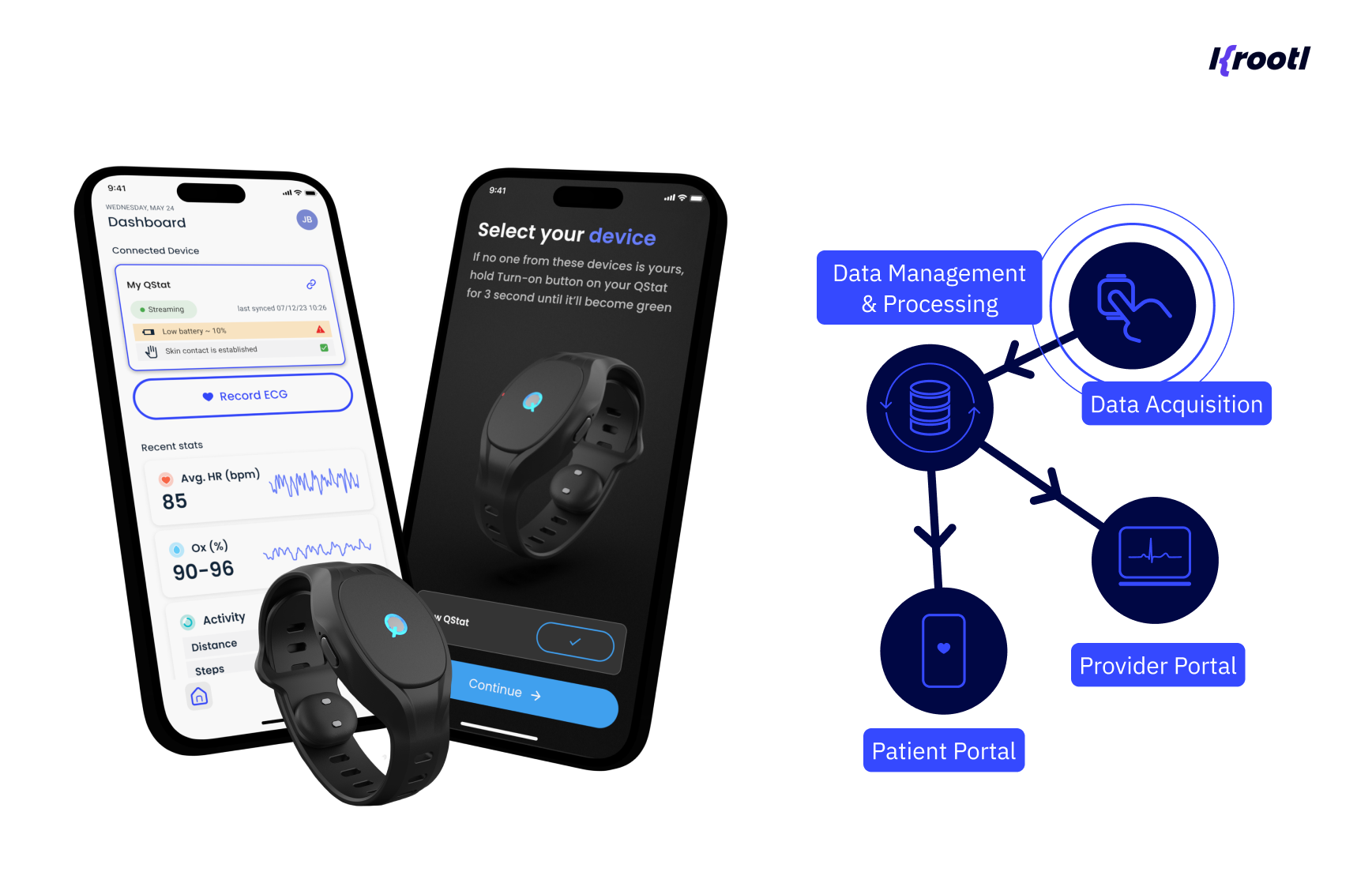
This is a good example of how wearable device integration is not just about displaying data – it’s about building a system that can handle continuous input reliably.
In more advanced scenarios, wearable data is not just tracked – it’s interpreted.
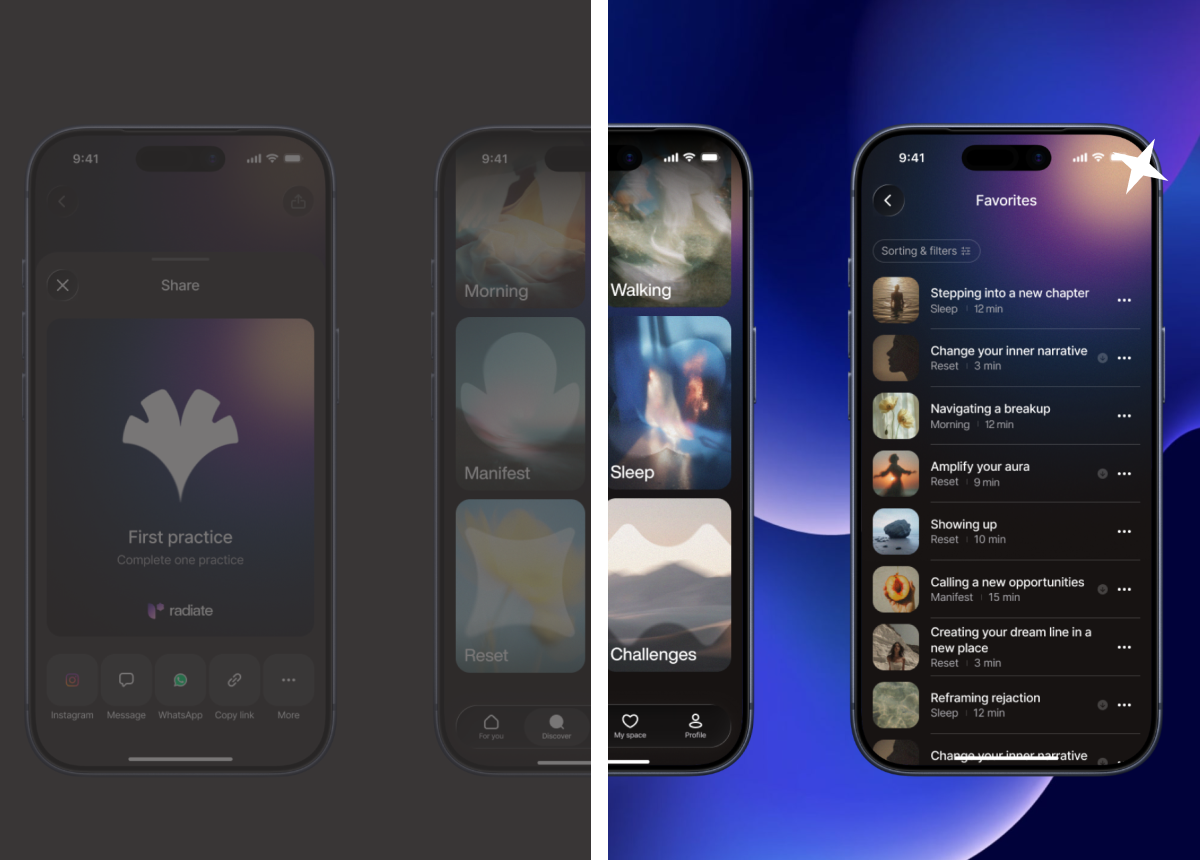
For example, in another project we developed for our customer, wearable input powers a gamified wellness platform. Instead of simply displaying steps or activity, the system applies a proprietary scoring model that translates different types of movement – walking, cycling, and strength training – into comparable metrics.
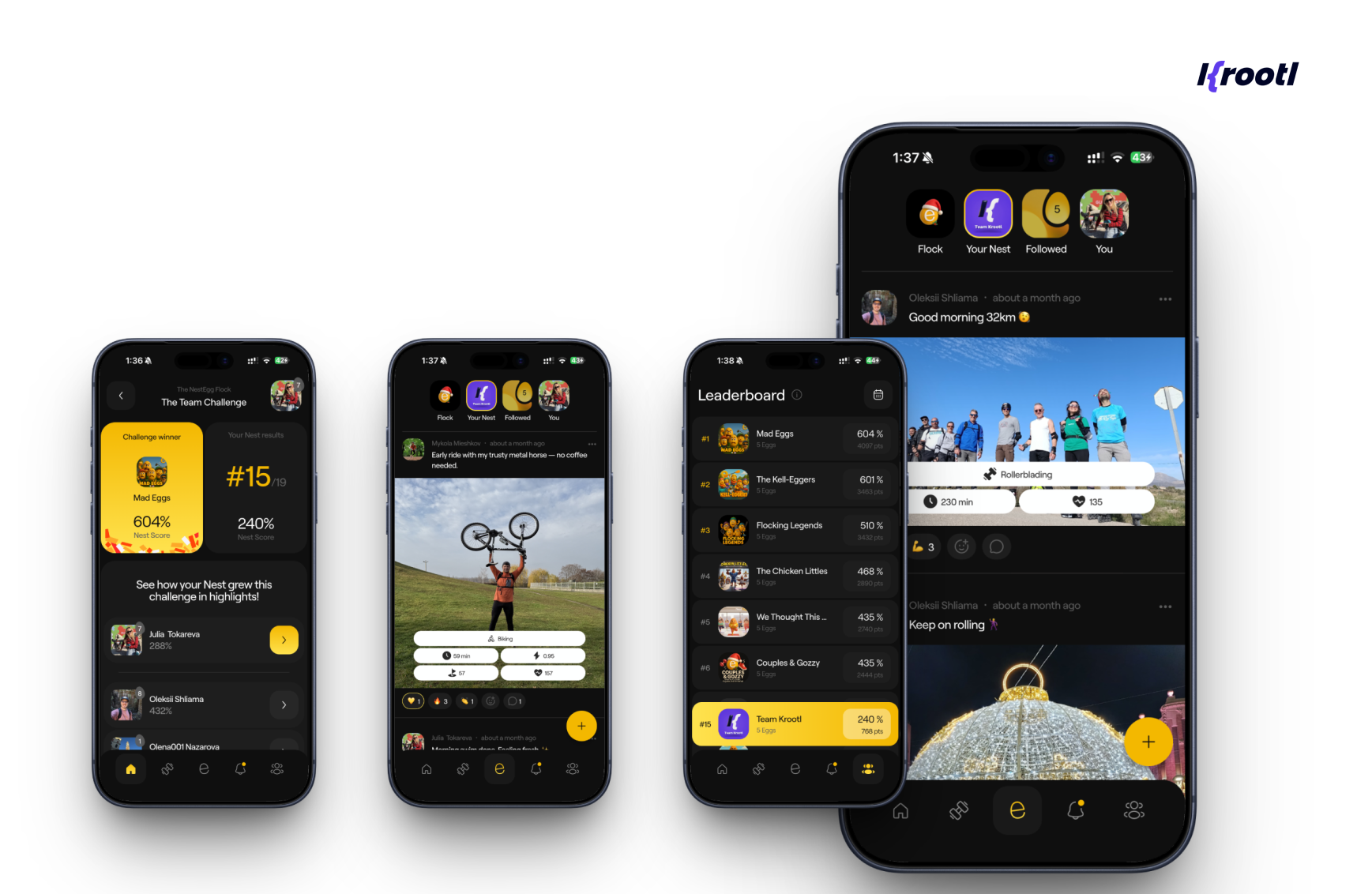
This allows teams to participate in challenges, track progress through leaderboards, and stay engaged over time – regardless of their fitness level.
In this case, wearable integration becomes a foundation for product logic, not just a data source.
Real-time alerts and quick actions
Wearables are ideal for short, high-priority interactions.
Examples include:
- notifications
- reminders
- quick approvals or responses
Instead of opening a mobile app, users can:
- glance at information
- take a simple action
- move on immediately
This is where apps with wearable device integration provide real value – reducing friction rather than adding features.
Medical and continuous monitoring
In healthcare-related products, wearable integration is often not optional – it’s core to the product.
Devices continuously stream data such as:
- heart rate variability
- oxygen levels
- other health indicators
The wearable handles data collection, while the system (mobile + backend) ensures:
- processing
- storage
- alerting when needed
Here, the focus shifts from UI to:
- reliability
- data accuracy
- uninterrupted data flow
Operational and field use
Wearables are also useful in environments where using a phone is inconvenient or unsafe.
For example:
- field technicians
- logistics workflows
- on-site operations
In these cases, wearable apps enable:
- hands-free updates
- quick confirmations
- real-time task visibility
Where wearable apps don’t make sense
This is just as important
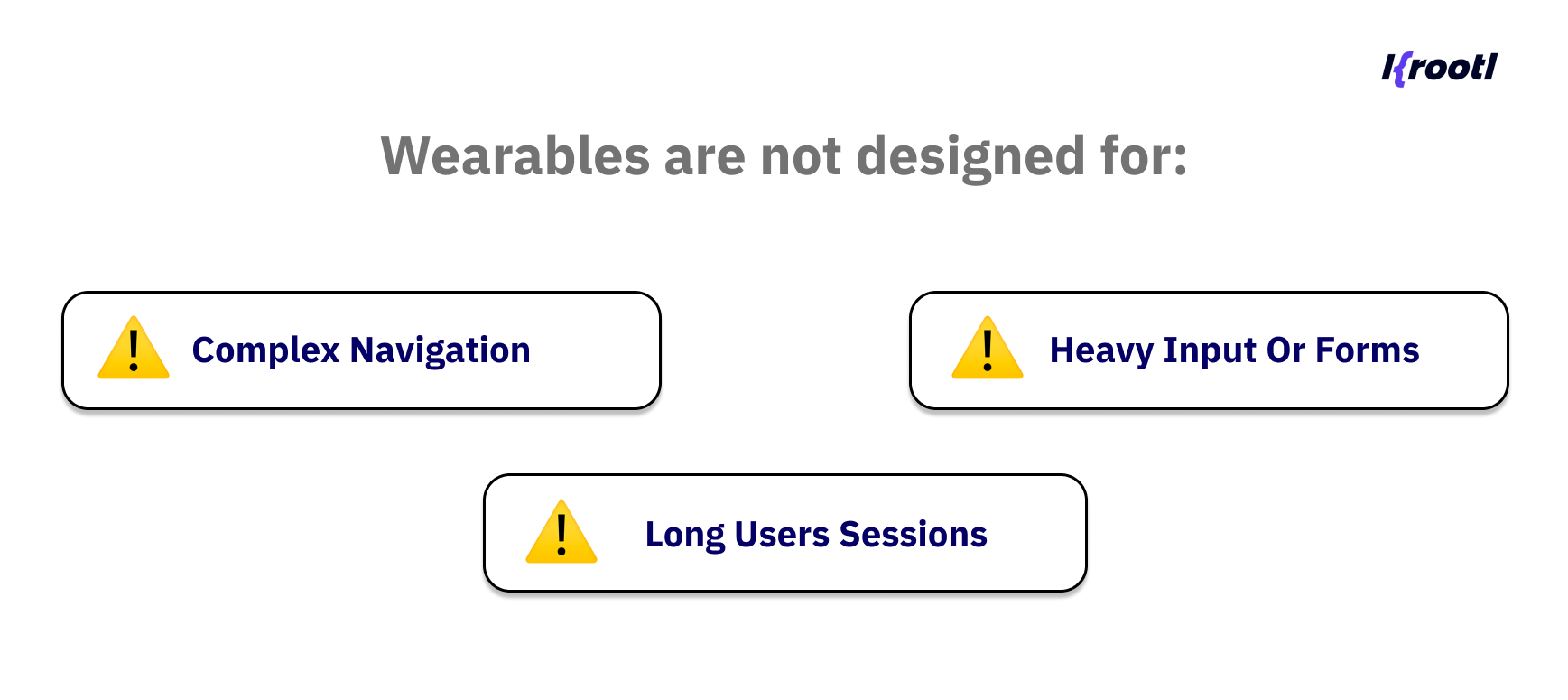
Key takeaway
Wearables should not be treated as an additional feature layer.
They are most effective when they solve a specific interaction problem – making something faster, simpler, or more accessible than it would be on a phone.
How Wearable Apps Work: Architecture Overview
Once you move beyond simple tracking, wearable apps quickly become less about UI – and more about how data flows through the system.
In most real-world scenarios, a wearable solution is not a standalone app. It’s part of a connected architecture that includes three main components:
- the wearable device
- the mobile application
- the backend infrastructure
Each of these plays a different role.
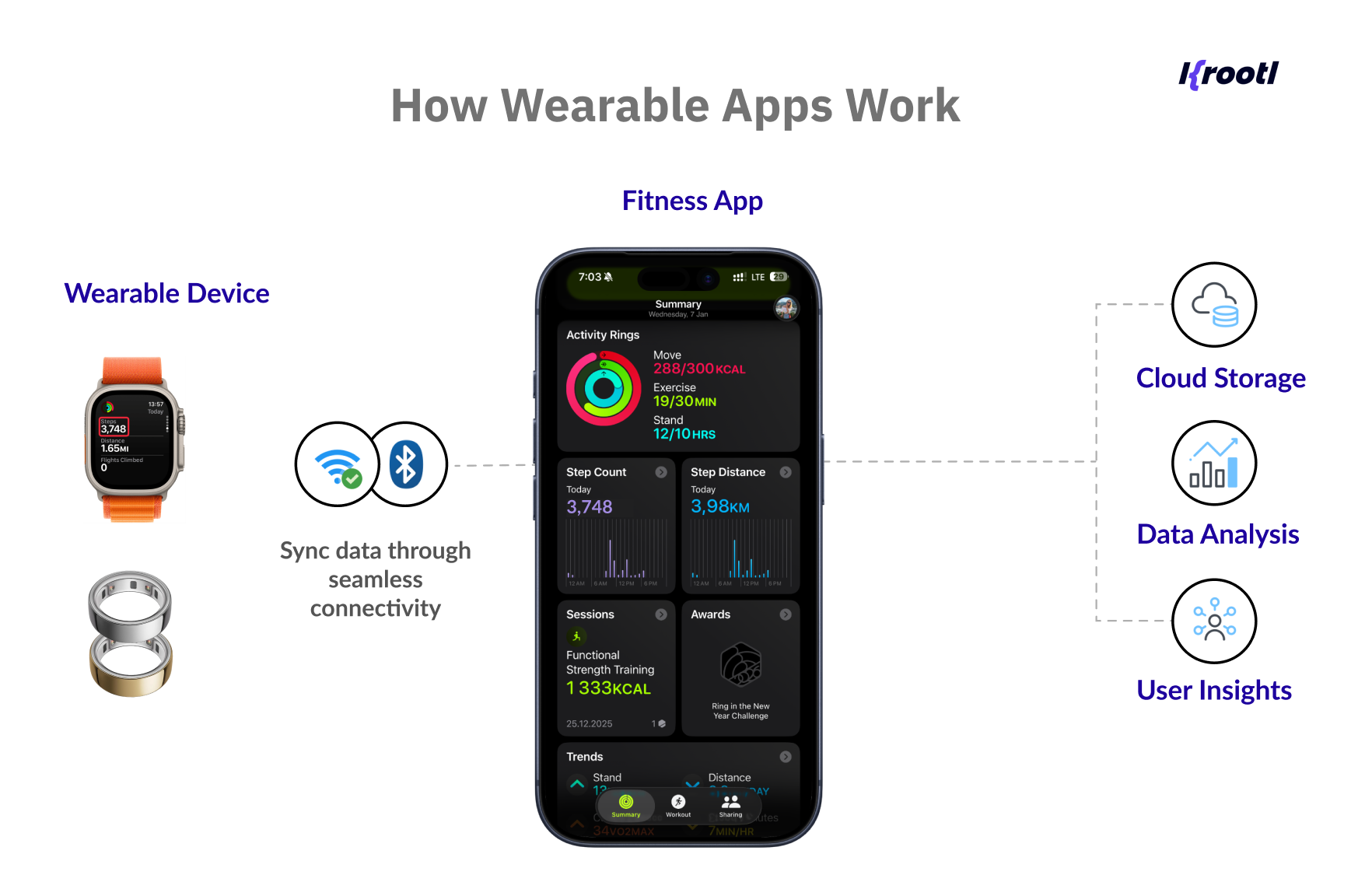
The wearable device – data collection layer
The wearable is responsible for:
- collecting data (heart rate, movement, activity)
- triggering quick interactions
- sending updates in real time or near real time
However, it operates under strict constraints:
- limited battery
- limited processing power
- intermittent connectivity
Because of this, the wearable should remain as lightweight as possible.
The mobile app – control and processing layer
The mobile application acts as the central hub.
It typically handles:
- device discovery and pairing
- data aggregation
- user-facing dashboards
- synchronization with backend systems
This is also where most of the product logic lives.
For example, in a companion app scenario like the one mentioned earlier, the mobile app is responsible for receiving a continuous stream of data from the wearable and making it usable – both for the user and for further processing.
One important aspect here is data reliability.
Wearable connectivity is not always stable. To handle this, the app can cache incoming data locally before sending it to the backend. This ensures that no data is lost if the connection drops – and that the system remains consistent over time.
The backend – storage and intelligence layer
The backend is where data becomes meaningful.
It is responsible for:
- storing long-term data
- processing incoming streams
- generating insights or alerts
- syncing data across devices
In more advanced products, this is also where business logic is applied.
For example, instead of simply storing activity data, the system can process it through a scoring model – transforming raw input into structured metrics that drive user engagement, challenges, or recommendations.
This is the point where wearable integration shifts from data collection to product logic.
How the data flows
A simplified flow looks like this:
- wearable collects data
- data is sent to the mobile app (via Bluetooth or similar protocols)
- mobile app processes or temporarily stores it
- data is synced to the backend
- backend processes and returns structured insights
- results are displayed back in the mobile or wearable interface
This flow may happen in real time or in batches, depending on the use case.
What actually matters in this architecture
In theory, this setup looks straightforward. In practice, most complexity comes from edge cases:
- handling unstable connections
- preventing data loss
- syncing across multiple devices
- keeping battery usage low
- ensuring data consistency
These are the challenges that define wearable systems much more than UI or feature sets.
Key takeaway
Wearable apps are not just smaller apps connected to a device.
They are part of a system where:
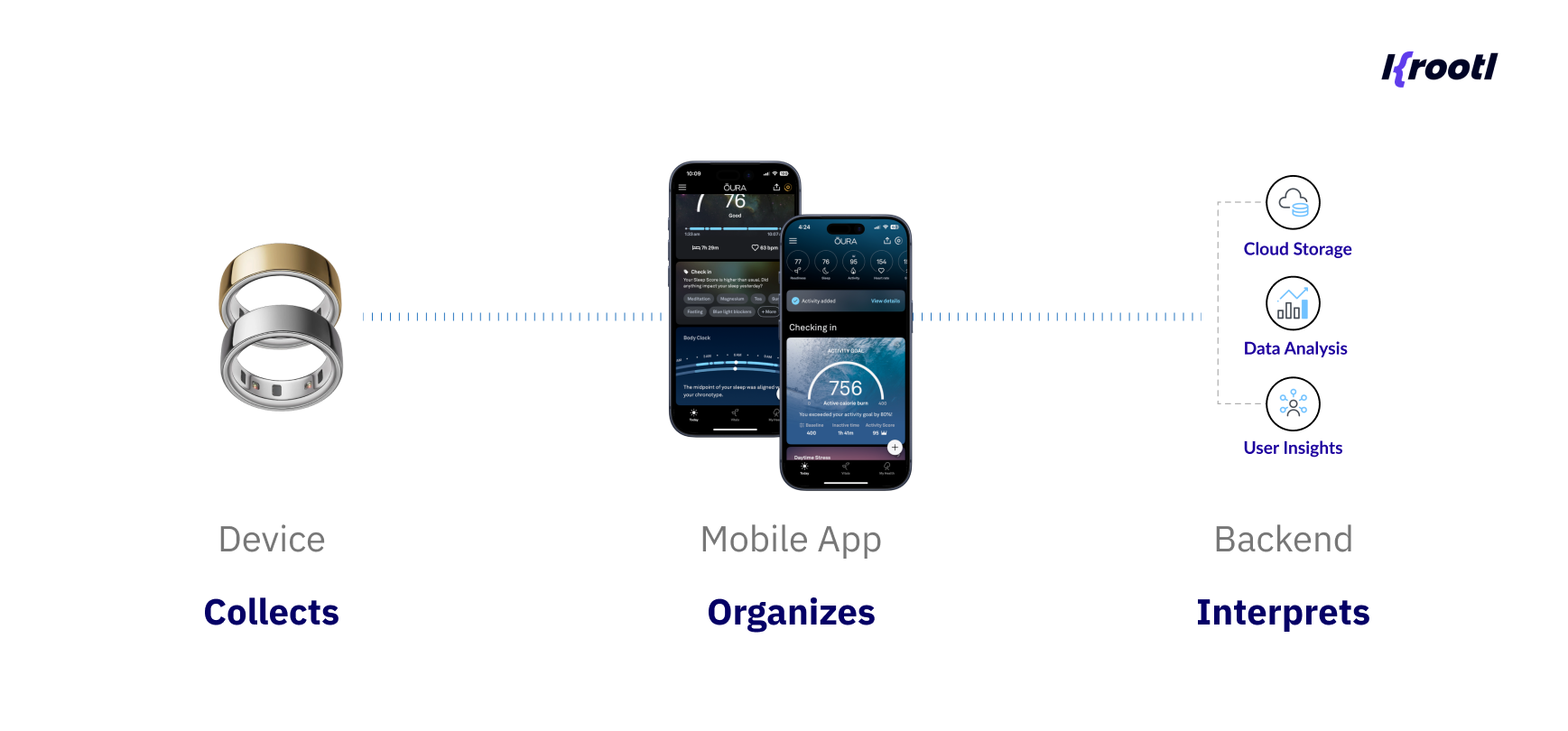
And the success of the product depends on how well these layers work together.
Flutter for Wearable App Development: What Works and What Doesn’t
When teams start exploring wearable app development with Flutter, the question usually comes down to this:
Can Flutter be used for wearable apps, and how far can it go?
The short answer is: yes, especially as part of a broader system.
Where Flutter works best
Flutter is a strong fit for the mobile layer of a wearable ecosystem.
In most real-world products, wearable apps are not standalone. They rely on a companion mobile app, and this is where Flutter delivers the most value.
It works particularly well when you need:
- a shared codebase across iOS and Android
- fast iteration and MVP development
- consistent UI and business logic
- seamless integration with backend systems
When building an app with wearable device integration, Flutter is typically used for:
- dashboards and data visualization
- onboarding and account flows
- subscriptions and user management
- syncing and presenting data from wearable devices
This makes Flutter wearable app development especially effective when the wearable is part of a broader product, not the product itself.
In practice, this is why many teams choose to work with a Flutter app development company when building companion apps, especially for products like a Flutter-based mobile application in the wellness space, where real-time data, subscriptions, and user engagement all need to work together seamlessly.
Flutter and wearable connectivity
Flutter also plays an important role in how devices communicate.
While Flutter does not natively render watchOS interfaces, it can reliably handle communication between the mobile app and wearable devices – particularly on Apple platforms.
In practice, this works through the iOS layer:
- the Flutter app communicates with native iOS code
- the iOS layer uses Apple’s WatchConnectivity framework
- data is exchanged with the watchOS app
This allows Flutter apps to:
- send and receive real-time data
- sync application state
- transfer files or background updates
- detect device availability and reachability
In other words, Flutter becomes part of the communication pipeline in wearable systems.
For implementation, developers often rely on tools like Flutter_watch_os_connectivity provides a bridge between Flutter and native watchOS communication APIs.
Limitations of Flutter for Wearables
Flutter works well for communication and shared logic, but it does not replace the wearable interface itself.
For example, in wearable app development for Apple Watch, Flutter can:
- manage data exchange between the mobile app and the wearable device
- handle synchronization and background updates
- support real-time communication through the iOS layer
At the same time, the watch interface is still built using native technologies like Swift or SwiftUI.
This means that in a typical app with wearable device integration:
- Flutter powers the mobile experience and data flow
- native watchOS handles the on-device UI and interactions
In practice, this is why Flutter wearable app development is usually implemented as a hybrid setup rather than a fully standalone solution.
Hybrid Approach: Flutter + Native
In most production-ready products, the setup looks like this:
- Flutter for the mobile app
- native code for the wearable layer
- backend for data processing and synchronization
This approach allows you to:
- move fast with cross-platform development
- reuse business logic
- still support device-specific features where needed
It also aligns with how wearable systems are structured:
- the wearable collects and displays lightweight data
- the mobile app (Flutter) handles core logic and UX
- native layers bridge communication when required
Key takeaway
Flutter doesn’t replace wearable development; it complements it.
Its strength lies in powering the system around the wearable:
- the mobile experience
- the data flows
- the user-facing product logic
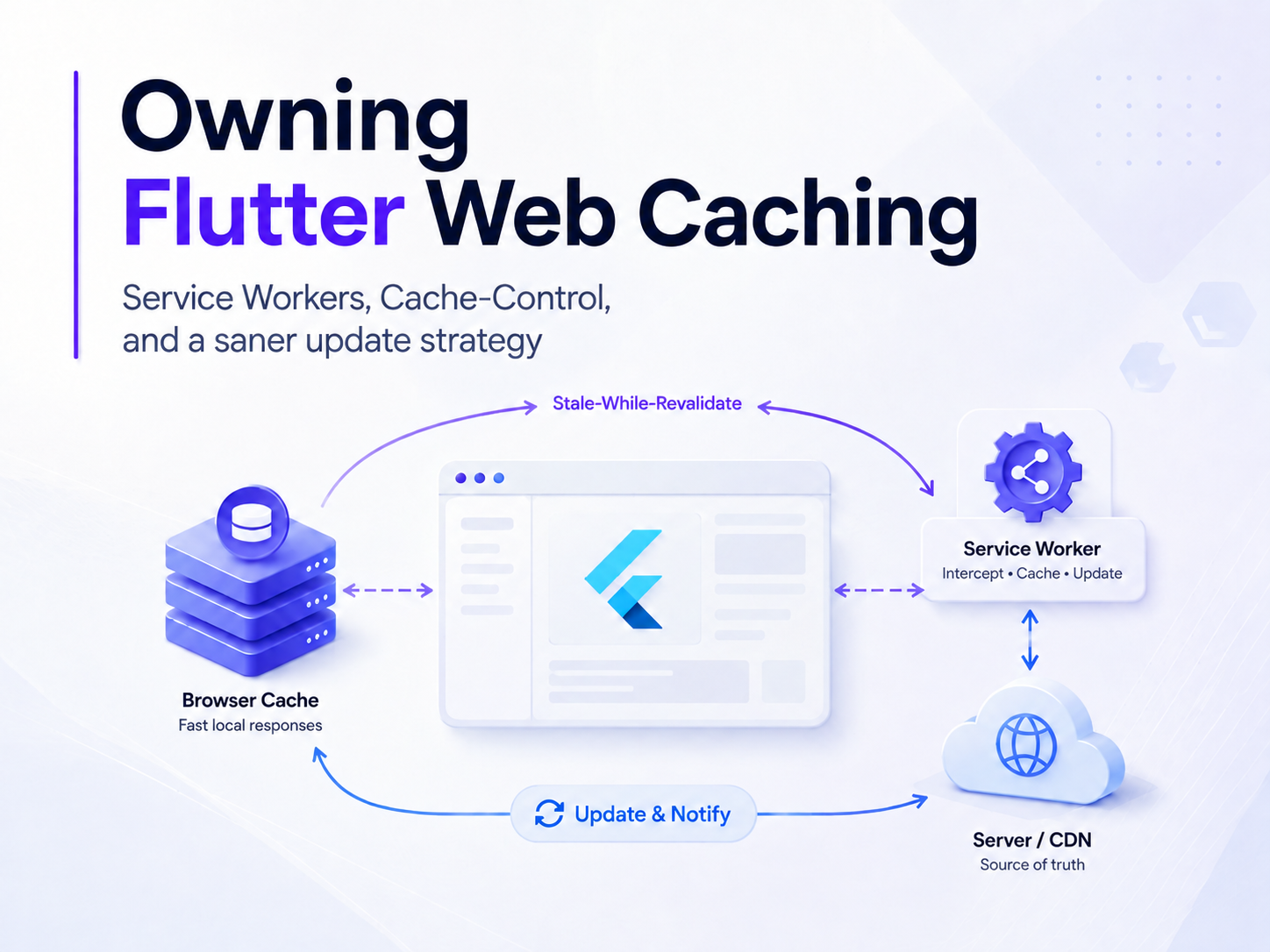
And in most cases, that’s where the majority of the product value actually lives. Here’s a practical example of how Flutter works alongside native layers to enable wearable communication.
Key challenges in wearable app development
On the surface, wearable apps may look simple: small screens, limited interactions, fewer features. In practice, they are often more complex than traditional mobile apps.
The reason is simple - most of the challenges are not visible in the UI. They exist in the constraints and in how the system behaves over time.
Unstable connectivity and data loss
Wearable devices rely heavily on Bluetooth or intermittent network connections.
This means:
- data may arrive with delays
- connections may drop unexpectedly
- synchronization is not always guaranteed
If not handled properly, this can lead to:
- missing records
- inconsistent data
- broken user trust
In real-world implementations, this is solved by introducing a buffering layer.
For example, instead of sending data directly to the backend, the mobile app can:
- store incoming data locally
- queue it for synchronization
- retry transmission when connectivity is restored
This ensures that even in unstable conditions, the system remains reliable.
Battery constraints
Wearables are designed to run all day – which makes battery efficiency critical.
Frequent data transmission, background processes, or heavy computations can quickly drain the device.
Because of this:
- data collection needs to be optimized
- communication should be batched when possible
- unnecessary processing on the device should be avoided
In most cases, it’s better to shift processing to the mobile app or backend.
Limited screen and interaction model
Wearables are not designed for complex interfaces.
You’re working with:
- very small screens
- limited input methods
- short interaction windows
This forces a different approach to UX:
- fewer actions
- clear hierarchy
- glanceable information
Trying to replicate a mobile interface on a wearable almost always results in poor usability.
Performance and resource limitations
Wearable devices have significantly less processing power compared to smartphones.
This affects:
- real-time updates
- animations and UI responsiveness
- background tasks
As a result:
- apps need to remain lightweight
- heavy logic should be offloaded
- communication needs to be efficient
Platform fragmentation
Wearable ecosystems are not unified.
You are dealing with:
- Apple Watch (watchOS)
- Wear OS devices
- different manufacturers and capabilities
Each platform has:
- its own APIs
- its own UX expectations
- its own limitations
This directly impacts how you approach wearable app development with Flutter, since parts of the system may still require platform-specific implementations.
Data consistency across the system
One of the less obvious challenges is keeping data consistent across:
- wearable device
- mobile app
- backend
Issues can arise when:
- data arrives out of order
- sync fails temporarily
- multiple devices are involved
To handle this, systems need:
- clear data ownership rules
- synchronization strategies
- conflict resolution logic
Flutter vs Native for Wearable Apps: How to Choose
At some point, every team working on wearable app development faces the same question:
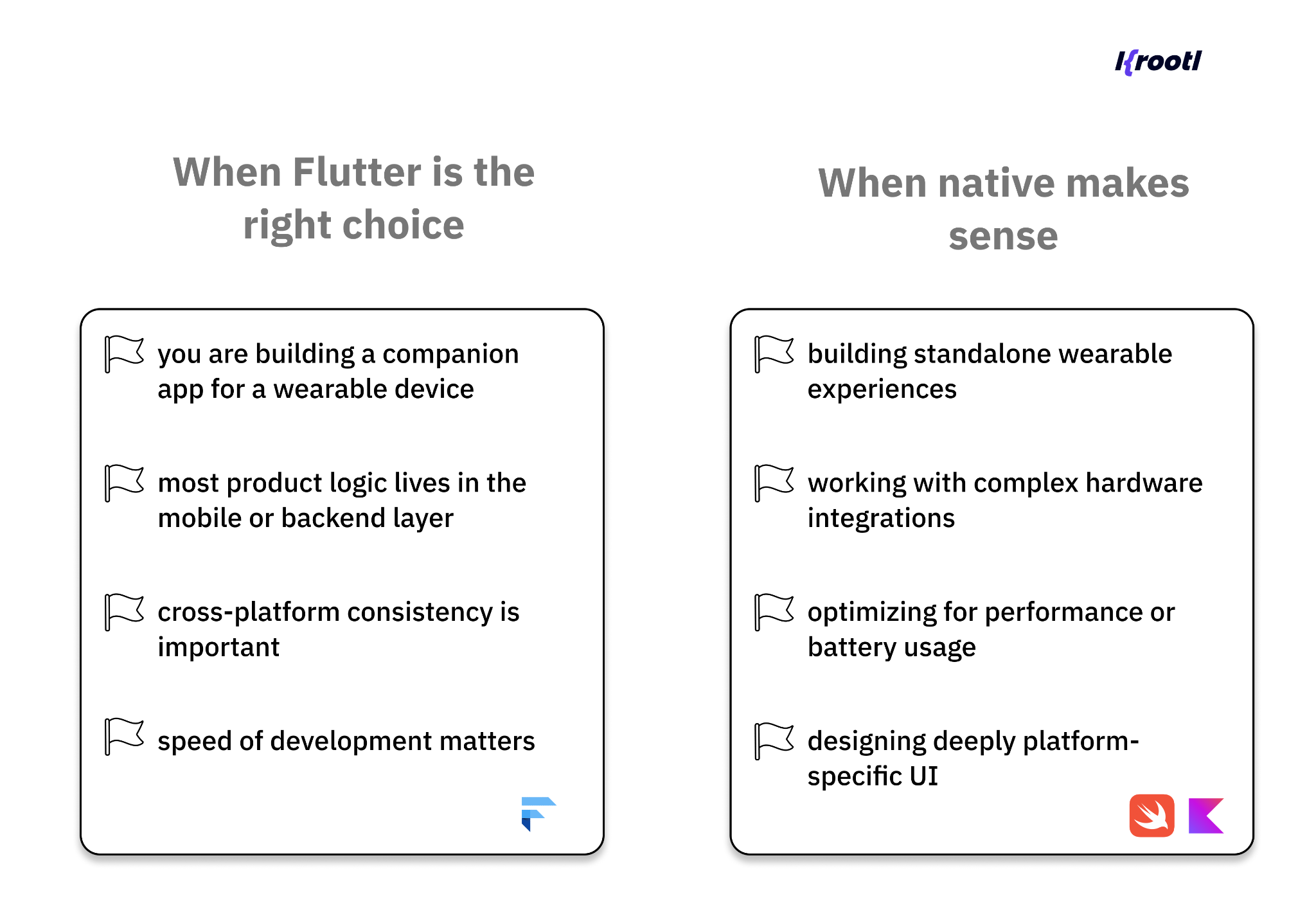
Should we build this with Flutter, or go fully native? In practice, this is not a binary choice.
Most real-world wearable products combine both approaches, each used where it makes the most sense.
Where Flutter makes sense
Flutter is a strong choice for the core product layer, especially when the wearable is part of a broader system.
It works well when:
- you are building a companion app for a wearable device
- most logic lives in the mobile app or backend
- you need cross-platform support (iOS + Android)
- speed of development is important
In these cases, Flutter helps:
- unify business logic
- accelerate development
- maintain consistency across platforms
For example, in an app with wearable device integration, Flutter typically handles:
- user flows (onboarding, accounts, subscriptions)
- dashboards and analytics
- data synchronization and visualization
This is where most of the product value sits and where Flutter is most effective.
Where native development is the better choice
Native becomes necessary when you are working closer to the device itself.
This includes:
- building Apple Watch interfaces (watchOS)
- creating Wear OS-specific experiences
- integrating deeply with hardware or sensors
- optimizing for performance or battery usage
These are areas where platform-specific APIs and tools provide more control and stability.
The reality: it’s usually not one or the other
In most production systems, the architecture looks like this:
- Flutter → mobile app (core experience)
- Native → wearable layer (device-specific UI and interactions)
- Backend → data processing and synchronization
This hybrid approach allows teams to:
- move faster without sacrificing flexibility
- reuse logic where possible
- still meet platform-specific requirements
It also reflects how wearable products are actually used:
- the wearable handles quick interactions
- the mobile app provides depth and control
How to make a decision
Instead of choosing a framework first, it’s more useful to start with the product itself.
Ask:
- Where does most of the logic live?
- How important is cross-platform support?
- Does the wearable require complex on-device interactions?
- How critical are performance and battery constraints?
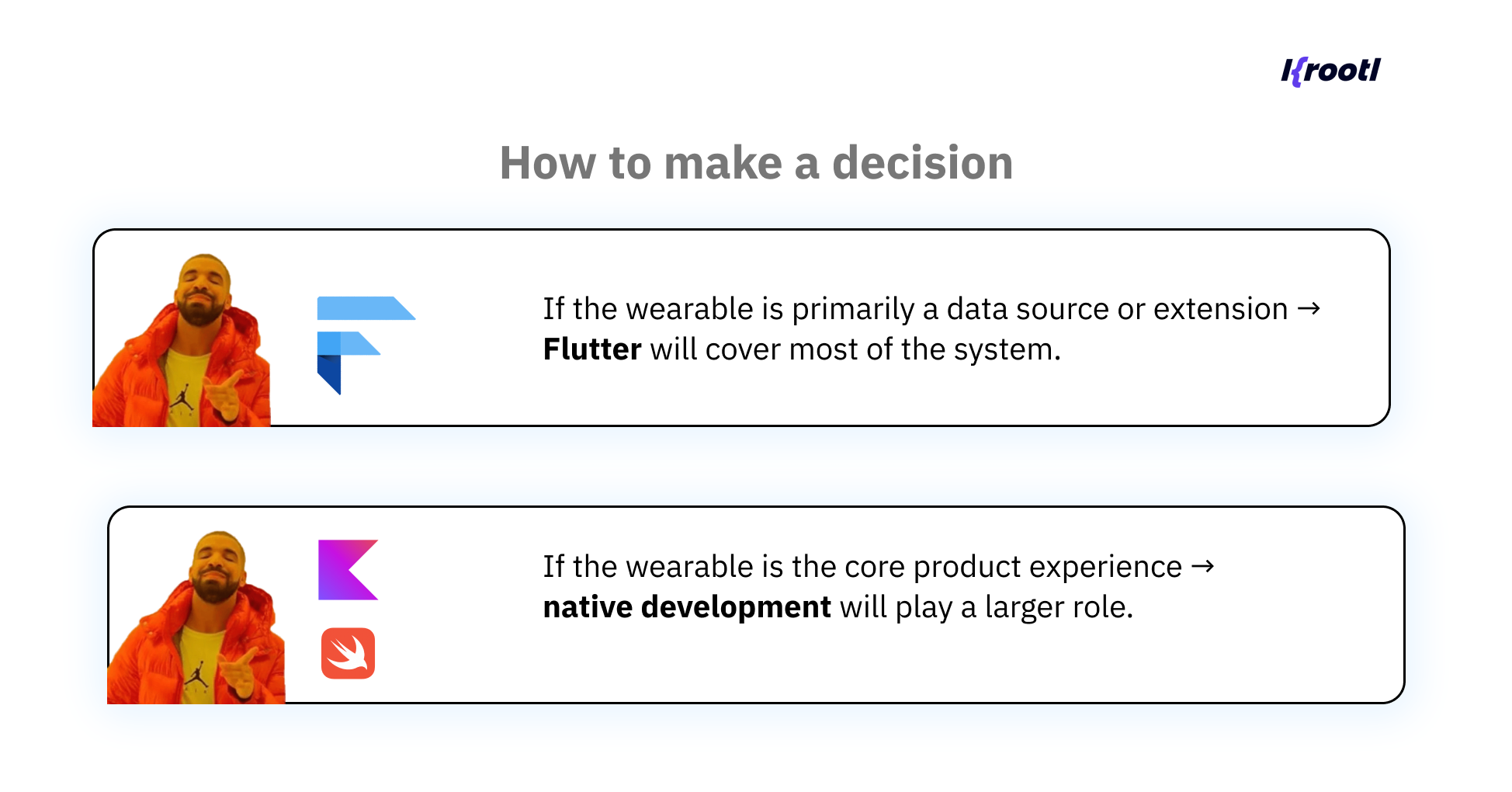
Choosing between Flutter and native is not about picking a “better” technology.
It’s about placing each technology in the part of the system where it works best.
In most cases, the most effective solution is not Flutter or native but a combination of both.
Turning Wearable Data into Product Value
In many products, wearable devices are used to collect and display data.
But in more advanced cases, the value doesn’t come from the data itself – it comes from how that data is interpreted.
In one of our projects, wearable integration was used as the foundation for a gamified wellness platform.
Instead of simply tracking activity like steps or workouts, the system processes incoming data through a proprietary scoring model.
The challenge here was that different types of activity are not directly comparable:
- walking
- cycling
- strength training
Each has a different intensity, duration, and impact.
To make the experience meaningful, the system translates these activities into a unified metric. This allows users to compare progress, participate in challenges, and compete on shared leaderboards regardless of how they choose to stay active.
From raw data to engagement
This is where wearable integration moves beyond tracking.
The wearable provides continuous input, but the real value is created in the system:
- data is collected and normalized
- processed through an internal scoring model
- transformed into structured insights
These insights then drive:
- gamification mechanics
- user motivation
- long-term engagement
In this setup, the wearable is not the product – it’s the input layer.
Why this approach works
Most fitness apps focus on displaying data. But data alone rarely keeps users engaged.
By introducing a layer of interpretation, the product:
- creates a sense of progression
- enables fair comparison between users
- supports different activity styles
This makes the experience more inclusive and sustainable over time.
System implications
From a development perspective, this kind of setup requires more than just wearable device integration.
It introduces additional complexity:
- consistent data normalization
- handling different input types
- ensuring fairness in scoring
- syncing results across users in real time
This is where architecture and backend logic become just as important as the wearable itself.
Key takeaway
Wearable apps are not just about collecting data.
The real value comes from what you do with that data.
When designed properly, wearable app development becomes a way to power product logic not just a feature layer.
When You Should Build a Wearable App (and When Not)
By this point, it’s clear that wearable apps can add real value but only in the right context.
Not every product benefits from wearable integration. In fact, in many cases, it introduces additional complexity without improving the user experience.
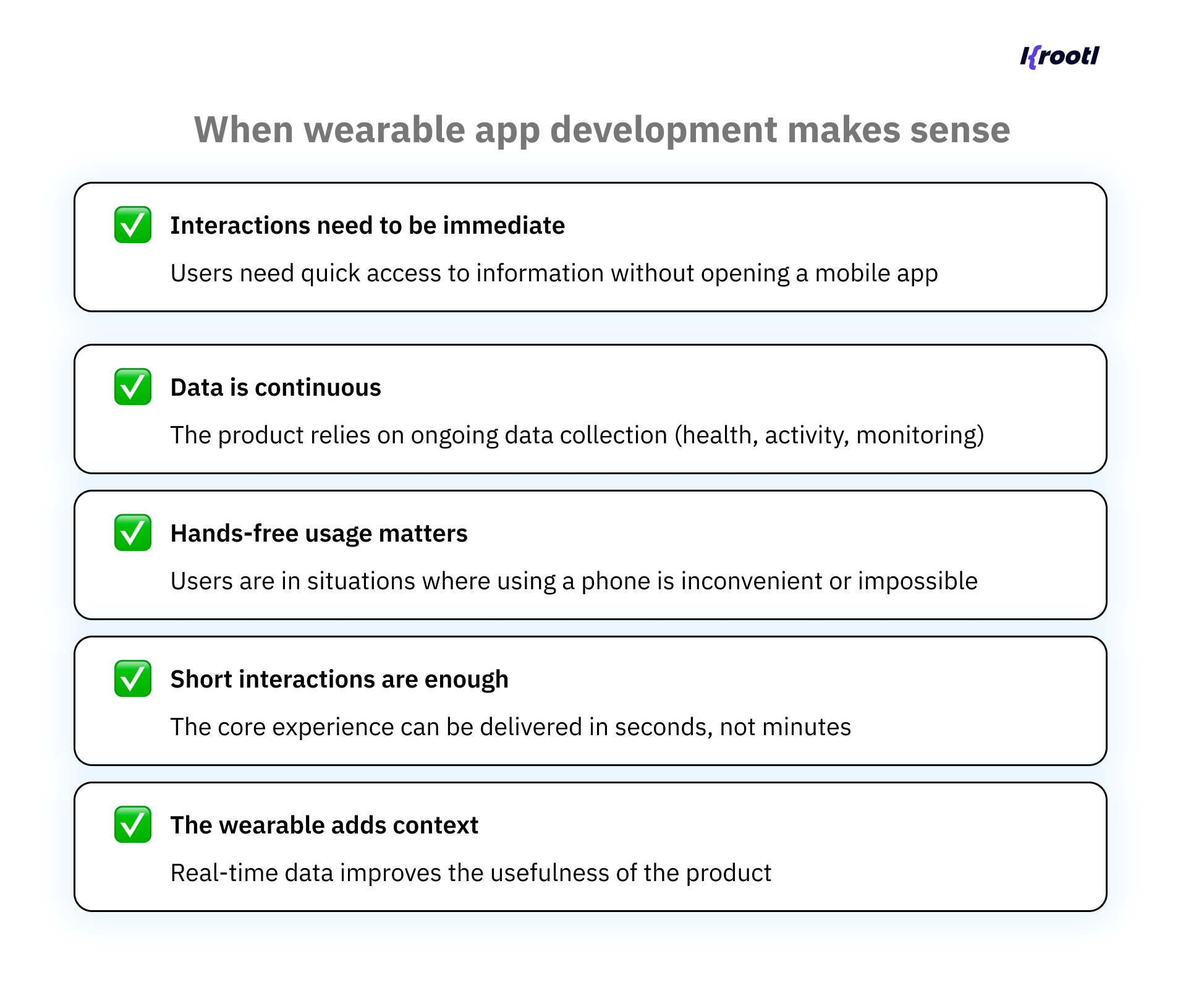
In these cases, wearable integration simplifies the experience; it doesn’t just extend it.
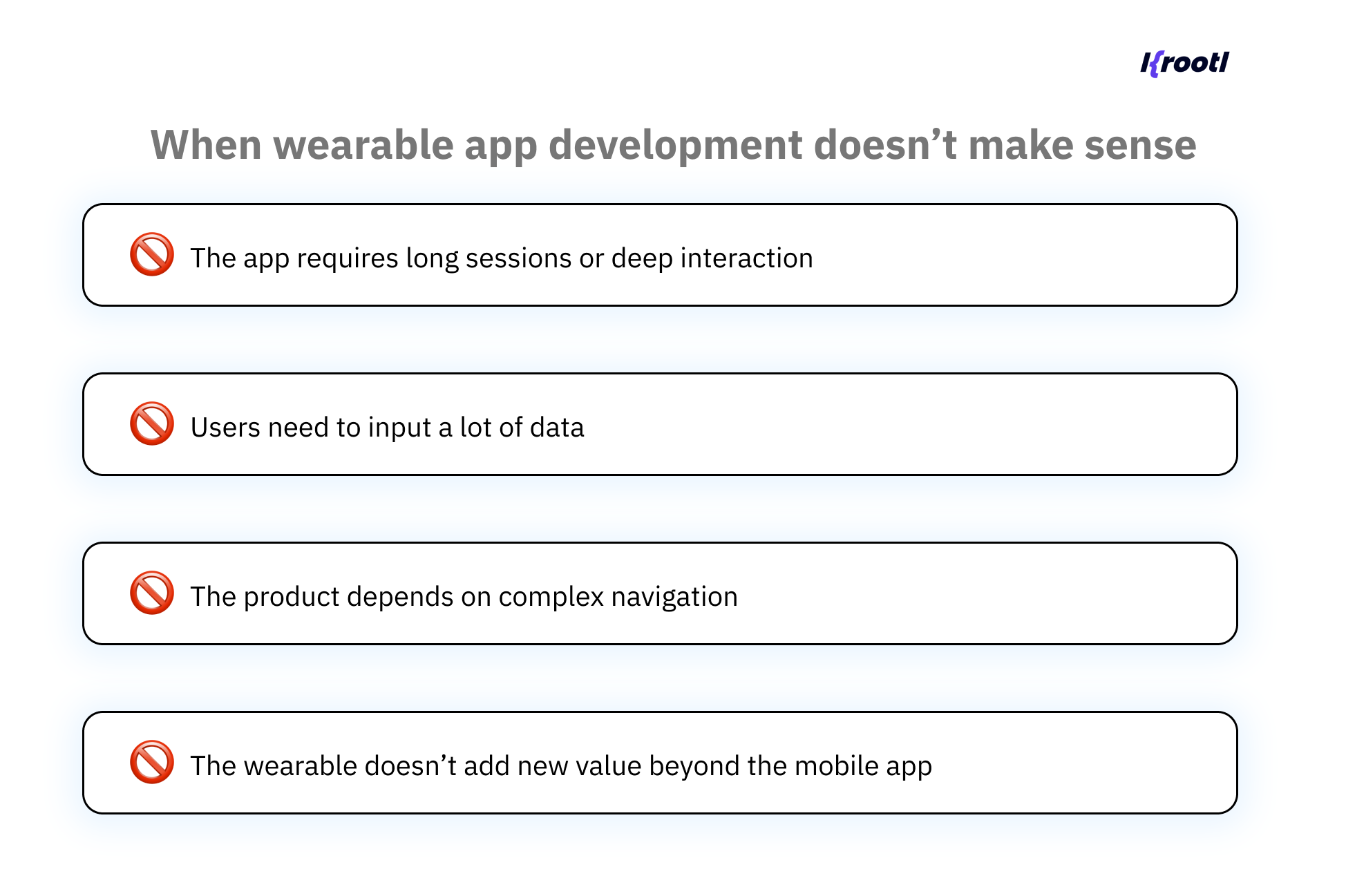
In these situations, trying to force a wearable experience often leads to:
- poor usability
- increased development cost
- unnecessary technical complexity
A simple way to think about it
A good rule of thumb:
- If your app becomes better when it’s faster, simpler, and more immediate, a wearable may help.
- If it becomes better when it’s deeper, richer, and more detailed – it probably belongs on a phone.
Product-first, not device-first
One of the most common mistakes is starting with the question:
“Should we build a wearable app?”
Instead, the better question is:
“Is there a moment where the user needs this without reaching for their phone?”
If the answer is yes, wearable integration is worth exploring.
If not, it’s likely unnecessary.
Key takeaway
Wearables are not a must-have feature.
They are a tool, and like any tool, they are only useful when applied to the right problem.
The goal of wearable app development is not to expand your product to another device.
It’s to make the interaction:
- faster
- simpler
- more natural
Wrapping up
Wearable apps are often seen as an extension of mobile products.
In reality, they represent a different way of interacting with software – one that is faster, more contextual, and often invisible to the user.
But that also means they require a different approach.
Successful wearable app development is not about shrinking an existing app to fit a smaller screen. It’s about identifying moments where interaction needs to happen instantly – and designing around that.
In most cases, wearables work best as part of a system:
- the device collects data
- the mobile app structures the experience
- the backend turns data into meaningful insights
Technologies like Flutter play an important role in this ecosystem – especially when building cross-platform mobile apps that connect everything together.
Wearables are powerful when they simplify something.
Not when they add another layer.
If you’re considering building an app with wearable device integration, it usually helps to start with a simple question: Where does the wearable actually improve the experience?
Answering that early can save a lot of time in both product decisions and development.
If you're evaluating how wearable integration could fit into your product, feel free to reach out - happy to share perspective based on similar projects.